
-
Best Of
10 Best AI Assistants (February 2026)
AI assistants have evolved far beyond simple voice commands or scripted responses. Today’s AI assistants... -
Best Of
10 Best Workflow Automation Tools (February 2026)
In today's fast-paced digital world, efficiency is more than just a buzzword – it's a necessity. As... -
Best Of
10 Best AI Tools for Business (February 2026)
Running a business today means juggling content creation, customer support, sales outreach, social media, and... -
Best Of
10 Best AI Agents & Chatbots for Conversational AI (February 2026)
Custom AI chatbots, especially those powered by GPT-4, are revolutionizing how businesses engage with their... -
Best Of
10 Best RPA Tools (February 2026)
Robotic Process Automation (RPA) involves the use of software robots to automate certain repetitive and... -
Best Of
10 Best AI Marketing Tools (February 2026)
AI has transformed how marketers plan campaigns, create content, and reach their audiences. From automating...


AI Tools 101
Lindy AI Review: From Prompt to Agent in 60 Seconds Flat

Unite.AI is committed to rigorous editorial standards. We may receive compensation when you click on links to products we review. Please view our affiliate disclosure.
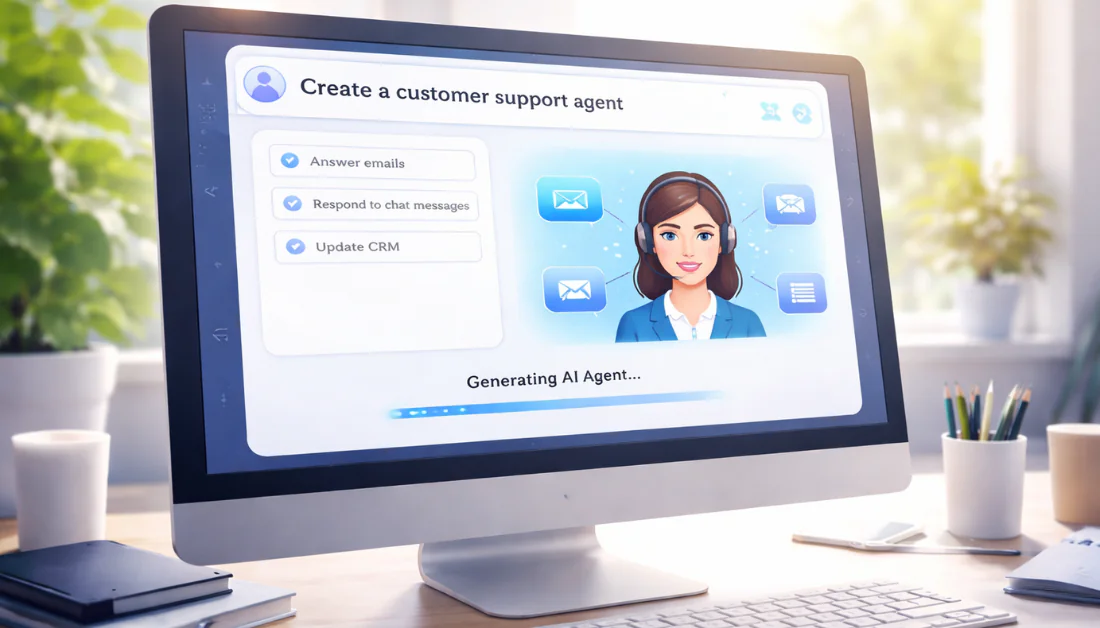
Surveys suggest that, in an 8-hour workday, the average office worker is only productive for about 2 hours and 53 minutes. The rest is swallowed up by checking social media, reading the news, and conversing with colleagues, among other things.
We’ve all been there, wishing we had an assistant to handle the “small stuff” so we can focus more on what matters. While tools like Zapier connect your apps, they often fall short when it comes to truly thinking and acting on your behalf.
That’s where Lindy AI comes in. It builds “AI Employees” (autonomous agents) that don’t just move data, but actually think and make decisions for you.
In this Lindy AI review, I’ll discuss the pros and cons, what it is, who it’s best for, and its key features. Then, I’ll show you how I used it to build a customer support agent in under 60 seconds.
I’ll finish the article by comparing Lindy with my top three alternatives (Relevance AI, Airia, and MindStudio). Let’s see if Lindy AI is right for you.
Verdict
Lindy AI makes it incredibly easy to build autonomous agents and apps with prompts. However, it’s fairly expensive, and it struggles with complicated tasks.
Pros and Cons
- 7-day free trial
- Agents are autonomous agents
- Build custom apps with prompts
- Build agents with prompts and templates (no code or developers needed)
- Share agents, track performance, and hand off tasks across teams
- Connects with 3,000+ apps like Gmail, HubSpot, and Slack
- Edit creations manually or with AI in a visual flow editor
- Very user-friendly
- Limited free plan; paid plans are expensive
- Struggles with complex tasks and may need human oversight
- Multi-agent setups might require trial and error to optimize
- There may be errors or API issues
- Results vary by model
What is Lindy AI?
Lindy AI is a no-code platform for building AI agents (or “AI employees”) that automate work across your apps.
But these aren’t your typical automation tools (like Zapier or Make) where you’re just connecting apps with “if-this-then-that” logic. These AI agents can actually think, make decisions, and handle complex workflows without you needing to babysit them constantly.
Lindy AI’s Creator & Company Mission
The platform was created by Flo Crivello, who previously founded Teamflow. His mission with Lindy is to help businesses scale without the overhead of hiring people every time things get busy.
Lindy AI vs. Zapier
Automation tools like Zapier rely on complex, rule-based workflows. They work for simple tasks.
The problem is that they become rigid and hard to maintain as logic grows. Adding paths, filters, and error handling is time-consuming. And even then, workflows can break when data or APIs change.
Meanwhile, Lindy’s AI agents understand context. You can build them using simple prompts, making it feel like you’re telling an employee what you need done.
It took me seconds to generate an AI agent with Lindy that automatically manages customer support questions for me. Rather than programming every rule, I just gave it a prompt. From there, I connected my Google and Slack accounts, and it was ready.
Core Value Proposition
The core value proposition with Lindy AI is that the AI workers handle business processes end-to-end. This includes customer support, data entry, research, follow-ups, and meeting coordination. Things that usually require a human to sit there and make judgment calls.
Platforms like Make and Zapier are integration tools that move data between apps. Meanwhile, Lindy’s agents actually perform work. They can read through documents, summarize information, draft responses, and make decisions.
Building an agent with Lindy AI takes minutes compared to days spent building equivalent workflows in other platforms. And when something needs adjusting, you can tell the agent what to change. No rebuilding entire automation sequences or debugging required.
If you’re drowning in repetitive tasks with your small business, Lindy AI could be the solution you’ve been searching for.
Who is Lindy AI Best For?
Here is who Lindy AI is best for:
- Sales and marketing teams can use Lindy AI to automate lead generation, outreach, CRM updates, and follow-ups.
- Customer support teams can use Lindy AI to classify tickets, draft replies, and manage email, chat, and Slack.
- Content teams can use Lindy AI to automate research, conduct keyword analysis, and create content drafts.
- SMBs and Non-technical teams can use Lindy AI to quickly and easily set up agents, connect thousands of integrations, and share agents across teams without hiring developers.
- Real estate agents can use Lindy AI to respond to inquiries, follow up with leads, manage listings, and keep CRMs up to date automatically.
- Healthcare workers can use Lindy AI to schedule patient communication and automate clinical documentation and administrative tasks.
Lindy AI Key Features
Here are Lindy AI’s key features:
- Create AI Agents: Build agents using simple prompts instead of complex workflows. Edit manually or with AI in a visual flow editor.
- Create Apps with Prompts: Turn prompts into functional, secure apps without code or tedious debugging.
- Templates: Choose from hundreds of agent templates to quickly get started.
- App Integrations: Connects to thousands of tools (Gmail, calendars, CRMs, Slack) for triggers, actions, and automations across apps.
- Knowledge Bases: Upload documents and resources for agents to follow company procedures, policies, and be context-aware when making decisions.
- Tone Customization: Train agents on your communication style and brand voice for personalized emails, replies, and interactions within the prompts you give to Lindy AI.
- Team Collaboration: Share agents across your organization, monitor performance, and enable multi-agent handoffs for complex team workflows.
- AI Voice Agent: Low-latency voice calling for support, outbound sales, or meetings with human-like speech.
How to Use Lindy AI
Here’s how I used Lindy AI to make my first AI agent to manage customer support questions:
- Sign Up for Lindy AI
- Start Building AI Agents & Apps
- Get Inspiration
- View the Templates
- Access the Academy
- Generate an AI Agent
- Access & View Your AI Agent
- Connect Accounts & Make Tweaks
- Test, Share, & Publish
Step 1: Sign Up for Lindy AI

I started by going to lindy.ai and selecting “Try for free” on the top right.
Step 2: Start Building AI Agents & Apps

After making my account and signing up for the 7-day free trial, I was taken to my homepage. At the top, I could start using AI to build agents, apps, and perform tasks by giving the generator a prompt.
Step 3: Get Inspiration

Below the generator were some ideas:
- Personal website
- Customer support email
- Outbound sales calls
- Lead gen
- Meeting recorder
- LinkedIn outreach
- Support chatbot
Step 4: View the Templates

Further down were AI agent templates in the following categories:
- Sales
- Meetings
- Productivity
- Support
- Engineering
- Human Resources
- Product
- Marketing
Step 5: Access the Academy

There was even an “Academy” where I could learn the fundamentals of Lindy by booking a call, joining the Slack community, or attending live online events.
Step 6: Generate an AI Agent

I wasn’t sure what I wanted to make with Lindy, but I knew I wanted to create an AI agent. I selected the “Customer support email” suggestion, and this was the prompt it came up with:
“I want an agent who will monitor my support inbox and help answer customer support questions using a knowledge base. If the agent does not know the answer to the question, it should escalate the question via a Slack DM.”
I didn’t change anything and hit send.
Step 7: Access & View Your AI Agent

Immediately, a new chat started. I clicked the link to access my agent.

Lindy AI got to work building my agent. It only took about a minute and showed the process step by step in the left panel.
Step 8: Connect Accounts & Make Tweaks

Now that the AI Agent was built, all I had to do was connect my Google and Slack accounts.
I could view more information and edit each step manually by selecting the node. In the “Agent Step,” I clicked it to edit the prompt, change the model, and more.
Step 9: Test, Share, & Publish

Once everything was connected and edited, my AI agent was ready. All that was left to do was test, share, and publish on the top right.
What I loved most about my experience with Lindy was how easy it was to use. The interface was really organized and simple, and there were hundreds of templates and helpful resources to ensure I was on the right track.
It’s safe to say that if you’re completely new to the “AI Agent” world and are not the most tech-savvy, Lindy is an excellent starting point.
Top 3 Lindy AI Alternatives
Here are the best Lindy AI alternatives:
Relevance AI
The first Lindy AI alternative I’d recommend is Relevance AI. Teams can build AI agents without coding to automate tasks like research, sales, marketing, and support.
Both Lindy AI and Relevance AI offer no-code platforms for creating agents, workflows, and thousands of integrations. However, Relevance AI is better for deep customization and enterprise workflows. Meanwhile, Lindy AI is easier to use with a visual editor.
Choose Relevance AI for flexible, customizable AI teams. Otherwise, choose Lindy AI for simple, no-code automation.
Read my Relevance AI review or visit Relevance AI!
Airia
The next Lindy AI alternative I’d recommend is Airia. It helps enterprises build, deploy, and manage AI agents safely using no-code, low-code, or pro-code tools.
While both Lindy AI and Airia let teams create AI agents without coding, Airia stands out with its enterprise security, risk monitoring, and agent management across teams. Meanwhile, Lindy AI focuses on user-friendly agent creation, app integrations, and quick automation.
Choose Airia for secure, large-scale AI deployment. Otherwise, Lindy AI is the best choice for simple, fast automation and no-code agent building.
Read my Airia review or visit Airia!
MindStudio
The final Lindy AI alternative I’d recommend is MindStudio. It’s a no-code platform that quickly builds and deploys AI agents with 100+ templates and thousands of integrations.
Both Lindy AI and MindStudio let teams automate tasks without coding. However, MindStudio offers more AI models (200+) and content generation that goes beyond just text (images, video, audio).
Choose Lindy AI for simple, fast automation. Otherwise, choose MindStudio for deeper AI capabilities.
Read my MindStudio review or visit MindStudio!
Lindy AI Review: The Right Tool For You?
My experience with Lindy AI was surprisingly smooth. What stood out to me the most was its simplicity and speed. Watching Lindy go from a simple prompt to a fully functioning workflow in under a minute felt like a glimpse into the future of work.
While it’s not made for complex coding, it’s perfect for anyone new to AI agents. If you’ve ever felt like you needed a personal assistant but didn’t have the budget to hire one, Lindy is the closest thing to “hiring” a digital employee without needing a computer science degree.
However, if you’re interested in something more advanced, consider these alternatives:
- Relevance AI is best for teams building a “digital workforce.” It handles multi-agent workflows and complex automations at scale.
- Airia is best for large enterprises. It focuses more on security and risk monitoring.
- MindStudio is best for creating web apps, custom interfaces, and gives you access to 200+ AI models in one platform.
Thanks for reading my Lindy AI review! I hope you found it helpful. Try Lindy for free and see how you like it.
Frequently Asked Questions
Is Lindy AI any good?
Lindy AI is an excellent no-code agent creator that’s easy to use for tasks like sales, customer support, and content. However, it struggles with complex workflows, and its pricing is higher.
What does Lindy AI do?
Lindy AI is a no-code platform that builds AI agents to automate business tasks like email, scheduling, data entry, and support by connecting your existing apps.
Who owns Lindy AI?
Lindy AI is owned by its founder and CEO, Flo Crivello.
Is Lindy AI secure?
Yes, Lindy AI is secure. It is SOC 2 Type II Certified and is HIPAA and PIPEDA compliant.



