Head-to-Head
CRM vs. CMS: Key Differences and How to Choose

 Add Unite.AI to your preferred sources on Google

A customer relationship management system (CRM) organizes interactions with prospects and customers. A content management system (CMS) organizes the creation, governance, and publication of digital content. They often integrate, but they solve different primary problems.
The right choice is frequently not CRM or CMS. A company may need both, with a clear boundary for customer records, consent, content, identity, analytics, and the events exchanged between systems.
Key takeaways
- Use a CRM to manage relationships, pipeline, service history, and customer-facing workflows.
- Use a CMS to create, review, version, and publish pages or other content across channels.
- Define a system of record for every field before integrating the platforms.
- Choose on workflows, governance, security, interoperability, and lifecycle cost—not feature count alone.
What a CRM manages
CRM records commonly include organizations, people, opportunities, activities, service cases, campaigns, permissions, and relationship history. Sales, support, and marketing teams use the shared record to coordinate work and measure a customer lifecycle.
Because it holds personal and commercial data, a CRM needs role-based access, retention, quality controls, deduplication, audit history, and consent handling. Adding generative AI does not remove those obligations.
What a CMS manages
A CMS supports authoring, media, templates, workflow, versions, localization, search metadata, publishing, and delivery. Traditional platforms render the website; headless systems expose content through APIs to multiple front ends.
A CMS needs editorial roles, preview, rollback, accessibility, performance, backups, security updates, and content lifecycle rules. It should not become an undocumented customer database merely because forms submit to it.
How CRM and CMS connect
A website can send a consented lead to the CRM, request approved personalization segments, and display content from the CMS. Campaign identifiers may link activity without copying every customer field into the publishing layer.
Use APIs or event integration with explicit schemas, retries, ownership, and monitoring. ETL can consolidate analytics, but real-time operational workflows need appropriate identity and failure handling.
A practical selection process
Map journeys for authors, marketers, sales, support, developers, administrators, and end users. Identify required channels, approval rules, data regions, extensions, accessibility, performance, export, and vendor exit.
Prototype the highest-risk workflows with realistic data and permissions. Evaluate administration effort, implementation partners, integration, training, updates, incident response, and total cost. Apply cybersecurity review to plugins and integrations, not only the core product.
Data models, workflows, and integration boundaries
A CRM organizes relationships around people, accounts, leads, opportunities, activities, cases, consent, and revenue stages. A CMS organizes digital assets around pages, posts, media, authors, templates, taxonomy, revisions, and publication states. The systems overlap at campaigns and forms, but their primary records and governance responsibilities are fundamentally different.
A typical flow sends a visitor from CMS content to a consent-aware form, creates or updates a CRM contact, attributes the interaction to a campaign, and returns approved personalization signals to the website. Stable identifiers and documented field mappings prevent duplicate people, overwritten consent, broken attribution, and incompatible lifecycle stages.
Integration can be native, connector-based, event-driven, or custom. Batch synchronization is simpler but stale; webhooks are faster but need retries, idempotency, ordering, and dead-letter handling. Decide which system owns every shared field. Bidirectional synchronization without an authoritative source creates loops and silent data corruption.
Selection criteria and architecture patterns
Choose a CRM by evaluating sales and service processes, reporting, automation, data residency, permissions, ecosystem, implementation effort, and total cost—not just the size of its feature list. Choose a CMS by evaluating editorial workflow, structured content, localization, performance, accessibility, security, developer experience, preview, and omnichannel delivery.
A traditional CMS couples content management with page rendering. A headless CMS exposes structured content through APIs, while a decoupled architecture preserves some integrated presentation tools. Headless is useful for multiple channels and custom front ends, but it transfers preview, personalization, routing, and operational complexity to the delivery team.
Small organizations may use a suite that includes both functions; larger organizations often integrate specialized platforms. The correct boundary depends on capabilities and governance, not company size alone. Avoid forcing a CMS to become a customer system of record or a CRM to manage reusable editorial content when dedicated models are required.
Privacy, measurement, and implementation risks
Customer and content systems jointly process identifiers, behavioral events, preferences, and campaign data. Define collection purpose, consent state, retention, access, deletion, and regional transfer rules before activation. Minimize data sent to either platform and never embed sensitive CRM attributes directly in client-side page code or URLs.
Useful measurements include content engagement, qualified conversions, pipeline influence, service deflection, retention, and time to publish. Attribution is an estimate affected by cookies, identity resolution, channel overlap, and model choice. Keep raw evidence and explain assumptions rather than presenting one attribution model as objective truth.
Implementation failures often come from taxonomy drift, duplicate contacts, brittle plugins, excessive scripts, untested template changes, and unclear ownership. Use a staging environment, integration contracts, synthetic test records, monitoring, and rollback. Reconcile record counts and consent states after migrations instead of assuming a successful API response means the data is correct.
Worked example: connecting a content site to a customer lifecycle
A software company publishes articles and product pages in its CMS. A visitor submits a demo form with explicit consent; the integration validates fields, deduplicates by a governed identity rule, and creates a CRM lead with source, campaign, content, and consent timestamp. The CMS remains authoritative for page content, while the CRM owns lifecycle stage, account relationship, activities, and sales outcomes.
When an opportunity changes stage, the CRM can emit an event that updates an audience segment, but the public website should receive only the minimum personalization signal. The event handler needs retries, idempotency, schema validation, and a dead-letter queue. Deletion and consent withdrawal must propagate through analytics and activation systems, not merely hide the contact in one interface.
Test duplicate submissions, changed email addresses, cookie loss, bot traffic, expired consent, API outages, field renames, and rollback of a CMS release. Reconcile form events, CRM records, and campaign reports. Measure qualified conversion and pipeline outcome with transparent attribution assumptions, along with page performance and publishing speed. Integration is successful only when it improves the customer and editorial workflow without weakening privacy, data quality, or site reliability.
Practical implementation checklist
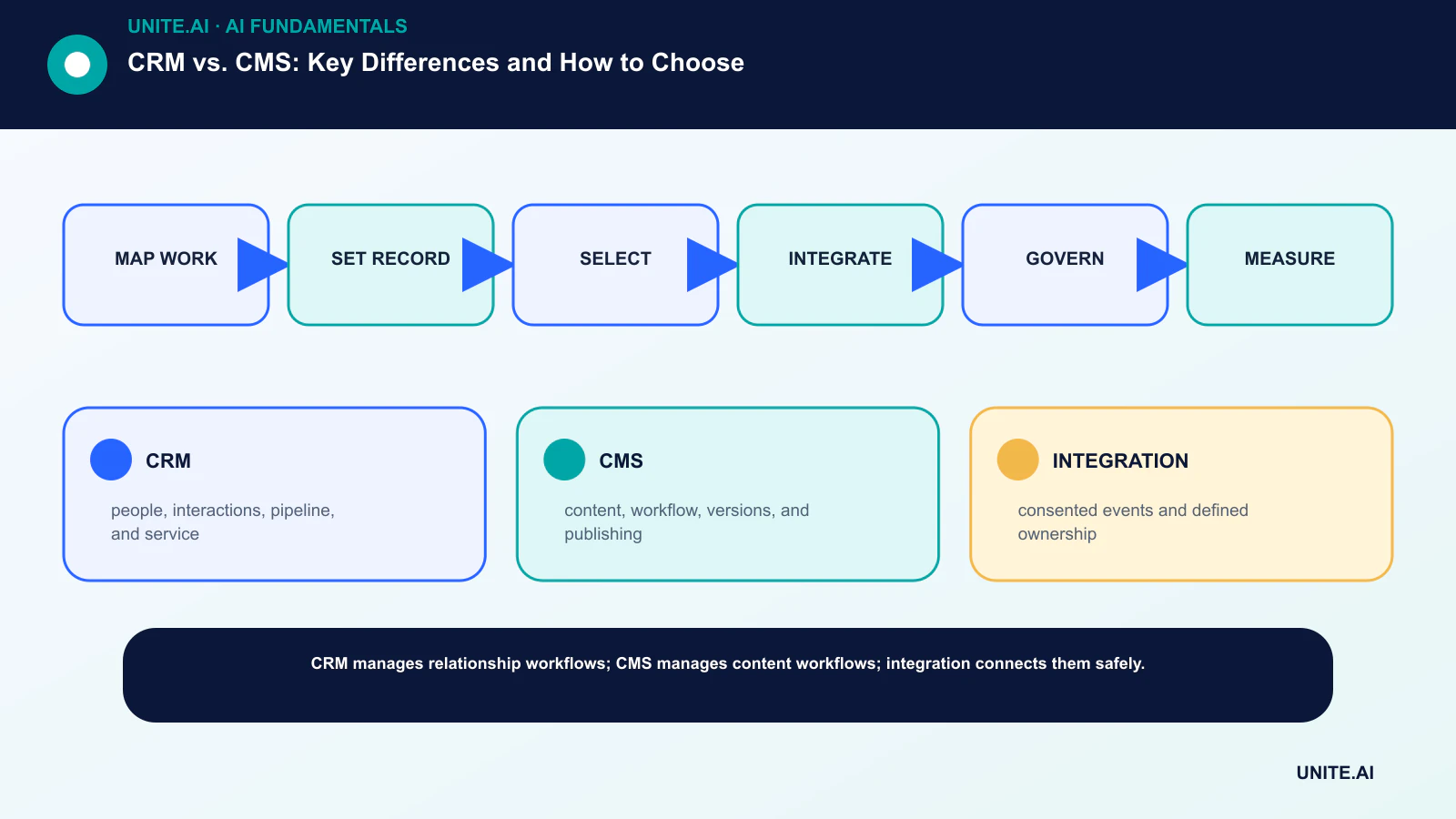
Turn the concept into a bounded, testable workflow: map work → set record → select → integrate → govern → measure. Name an accountable owner, document the data and dependencies, establish a simple baseline, set acceptance and stop criteria, test representative failures, and define monitoring, rollback, and review before expanding scope. Record versions and assumptions so another team can reproduce the result and understand what changed.
Before launch, run a documented readiness review with the people who build, operate, secure, and are affected by the system. Test normal cases, boundary conditions, dependency failures, and misuse; preserve the evidence and unresolved risks. Define who can approve release, change a threshold, override an output, or stop operation. Revisit the decision after real-world data arrives, because a technically successful pilot does not guarantee reliable performance at broader scale.
- CRM: people, interactions, pipeline, and service.
- CMS: content, workflow, versions, and publishing.
- INTEGRATION: consented events and defined ownership.
Frequently asked questions
Can a CMS replace a CRM?
A CMS can collect forms and profiles, but a full CRM adds relationship workflows, pipeline, service history, permissions, and reporting. Using a CMS as the customer system of record creates governance gaps.
What is a headless CMS?
It manages content and exposes it through APIs rather than owning one presentation layer. Websites, apps, kiosks, and other channels can consume the same governed content.
Primary references