
Thought Leaders
How AI-Powered Executive Assistants Are Reimaging Work in 2026

Today, the role of the executive assistant (EA) has dramatically changed from what it was just two years ago. Where aiding in the work/life balance of an executive was once mere time management, EAs are now force multipliers, and the position demands a new set of AI-based skills.
For the first time, AI has made it possible for a single highly-trained assistant to support multiple executives through workflow optimization and automation. The depth of their support is even leading them to assume roles more similar to a Chief of Staff than a simple assistant.
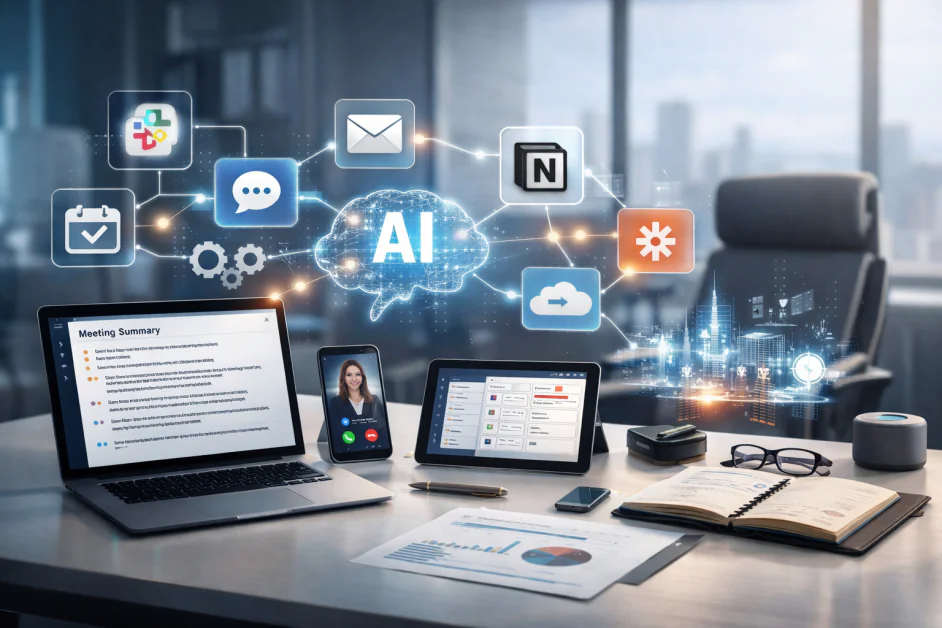
When we at Viva Talent ask our own EAs what tools they are leveraging the most, the same names always come back: Slack, ChatGPT, Notion, Zapier, Granola, Claude, email clients (Gmail, Outlook, or Superhuman), project management tools (like Monday.com), and scheduling tools (including Vimcal).
It’s a who’s who of the most popular workplace tools across the board, but the list itself isn’t the interesting part; it’s the way these tools can work together.
We’ve seen that the best EAs aren’t AI tool collectors. They’re tool connectors.
Picking up the Slack
Most businesses use Slack like a chat service. The best EAs use it like an operations center. Here’s a simple example: A request is dropped into Slack for an executive. In most companies, this request sits until someone remembers to take action on it.
A more intelligent approach? Set up automations based on emojis and loop in Notion. Assign an emoji to a message and with the right Notion integration it will automatically be marked as a tracked task. Without having to be manually entered into a to-do list and potentially forgotten, all tasks will be accounted for and the executive will never have to wonder if something has fallen through the cracks.
Curing email overload
One of the first things every new AI user does is ask it to write an email for them. EAs are experts in email triage and their usage of AI should be an extension of this ability, but the greatest missed opportunity with ChatGPT and Claude is treating these tools like a fancy autocomplete tool when they’re capable of much more.
Some of the most effective implementations I’ve seen involve generative AI tools trained on the emails and Slack communications of a specific executive. The AI system picks up their communication style, their tone, their preferences, and what they’re interested in. It can then compose emails in their voice, filter out messages they wouldn’t want, or reduce a 100-page report to a few key bullet points that matter to that specific individual.
What used to take 15 or 20 minutes to dig through emails and understand context can take just seconds. The executive can now spend their time making decisions instead of just reading and writing.
The same holds true for meetings. Rather than spending the entire meeting taking notes, EAs can use solutions like Granola for that task. Combine this with a well-structured prompt in ChatGPT, and meeting minutes are ready to be distributed before people have even left the room. An executive assistant can also use this tool to gather quarterly insights from weekly sync meetings or extract data from multiple calls into a single cohesive data source with a single prompt.
A force multiplier
As convenient as this already sounds, the real unlock comes when the executive is unable to attend the meeting at all. With Granola’s meeting notes and a deep understanding of the executive’s workflows and the status of past action items, the EA can act as their proxy.
In addition, Granola enables LLM-style search through a search section where prompts can be entered. For example, I was about to join a meeting with a customer and was trying to remember her child’s name. I asked Granola, “What is the name of Nicole’s son?” and a response was returned within seconds.
We’ve seen that by leveraging Granola and other AI tools to keep their finger on the pulse of an executive’s day-to-day work, EAs can confidently lead check-ins with clients as well as internal sync sessions. When the executive returns, they can take a glance at the meeting notes and never skip a beat.
My own EA has built “While You Were Out” documents using AI with categories like “Key Updates,” “Meetings You Missed,” and “Email Digest.” Each of these contain all the key updates and urgent items that I need to address, and it’s easy to digest at a glance. This simple framework instantly brings me up-to-date with no excessive explanations and rarely do I need to ask follow-up questions to understand the context. It just works.
Automation to the rescue
A single tool can provide some small wins, but when you know how to make AI workflows talk to one another, that’s where time can truly be saved.
Consider the process of preparing an executive for a meeting with a new client or vendor. To do this work by hand would mean looking up information on the company, finding relevant data internally, preparing a briefing document, and so on. This could take an hour or more, and that’s before the meeting even begins.
Automation changes everything, and EAs trained in Zapier can quickly create a workflow that does the bulk of the work in the blink of an eye:
- It starts with a simple input in HubSpot or Google Sheets.
- That triggers Zapier’s AI to pull company data and provide highlights.
- The data is compared against internal documents to identify relevant talking points.
- From there, a briefing doc is generated, a brief slide deck is automatically prepared, and all of this material is placed into a cloud folder for easy access across the team.
- The executive and support staff receive an email summarizing the process.
Teams that leverage these kinds of workflows have reported cutting prep time by up to 70%, and since the process is repeatable and predictable, it works time after time.
Post-meeting follow-ups work the same way. When the meeting wraps, a transcript produced by Granola feeds back into Zapier. AI drafts a concise email to the client while internal meeting notes are fed into a dedicated Slack channel.
For particularly tricky workflows that don’t have built-in Zapier support, EAs with deep knowledge of ChatGPT prompting can quickly build a Google Apps Script with zero coding experience. We’ve used this approach ourselves to pull data from internal company dashboards straight into weekly reports, eliminating hours of tedious copy/paste work in an instant.
What comes next
The EAs who succeed and thrive are not necessarily those who learn the most tools. It’s those who think systemically, can identify and resolve roadblocks in workflows, and know where automation can safely save time while still producing stellar results.
Today’s most successful executives are already benefiting from a supporting cast of AI-fluent executive assistants who can build systems that anticipate needs, not just react to them.



