AI Fundamentals
AI Agents vs. Copilots vs. Workflows: What’s the Difference?
Copilots assist people, workflows follow predefined paths, and agents decide how to pursue a goal. The boundaries can blur, but the distinction is crucial for product design, governance, cost, and reliability.

 Add Unite.AI to your preferred sources on Google

AI copilots assist a person, AI workflows follow a predefined process, and AI agents decide how to pursue a goal. All three can use the same underlying models and tools, but they assign decision-making authority differently.
The terms are often used loosely, which creates unrealistic expectations and weak governance. A product called an “agent” may be a workflow with a chat interface; a copilot may execute actions; and a workflow may contain an agentic step. The useful question is not the label but who chooses the path, who approves the action, and how predictable the system must be.
The Short Version
| System | Who chooses the next step? | Typical role | Main advantage | Main tradeoff |
|---|---|---|---|---|
| Copilot | Primarily the human | Suggest, draft, explain, assist | Human judgment stays in the loop | Requires attention and manual progression |
| Workflow | Primarily predefined code | Execute a known sequence | Predictable and testable | Less adaptable to novel cases |
| Agent | Primarily the model within boundaries | Pursue an outcome and adapt | Handles open-ended paths | More variable, costly, and difficult to govern |
What Is an AI Copilot?
A copilot helps a person perform a task while the person remains the primary decision-maker. It can summarize a document, draft code, suggest a reply, explain an error, or recommend the next step. The user reviews the output and decides whether to use it.
The defining characteristic is interaction, not a particular interface. A copilot can call read-only tools or prepare a proposed action, but it generally keeps the person close to the decision and execution boundary.
Copilots work well when human context is essential, mistakes are costly, or the desired outcome is subjective. They reduce effort without requiring the system to solve the entire task autonomously.
What Is an AI Workflow?
An AI workflow is a sequence of steps whose routing is largely defined in advance. Some steps may use a model—for example, to classify an incoming request, extract fields, or write a summary—but code determines how the process moves from one stage to another.
A customer-support workflow might classify a ticket, retrieve account data, generate a draft, apply policy checks, and place the result in a review queue. The model can produce variable content while the overall path remains predictable.
Anthropic’s guide to building effective agents uses this distinction: workflows orchestrate language models and tools through predefined code paths, while agents dynamically direct their own process and tool use.
What Is an AI Agent?
An agent receives an objective and has discretion over the steps needed to reach it. It can select tools, form or revise a plan, respond to observations, recover from some failures, and continue until it meets a stopping condition.
For example, a research agent may decide which sources to search, identify gaps, change its queries, compare evidence, and produce a cited report. A developer does not specify every search or the exact number of steps in advance.
Agents are useful when the environment is variable and the route cannot be fully anticipated. That same flexibility makes them less deterministic than workflows.
The Boundary Is a Spectrum
| Copilot | Assists a person who remains the primary decision-maker and operator. |
|---|---|
| Workflow | Executes a largely predefined sequence and branching logic. |
| Agent | Chooses actions dynamically in response to observations. |
| Selection rule | Use the least discretion that can reliably complete the task. |
A workflow can contain an agentic step, and an agent can call a deterministic workflow as a tool. For example, an agent may decide that a customer qualifies for a refund review, while a fixed workflow validates the order, calculates the permitted amount, and routes the final decision to an authorized employee. Layering the patterns often produces better systems than choosing one label for the entire product.
Real products combine these patterns. A copilot may include an agent that completes a bounded subtask. A workflow may route an unusual case to an agent. An agent may rely on deterministic workflows for sensitive operations.
It is more accurate to describe the level and scope of autonomy:
- Suggestion: the system proposes content or a decision; a person acts.
- Draft action: the system prepares a change; a person approves it.
- Bounded execution: the system acts automatically inside a narrow, reversible scope.
- Adaptive execution: the system selects steps and tools within policies.
- Delegated operation: the system handles extended work and escalates exceptions.
Different steps in the same product can sit at different levels.
How These Systems Differ from Traditional Automation
Traditional automation follows explicit rules and deterministic logic. Robotic process automation may reproduce clicks and data entry across known interfaces. A workflow can combine that automation with model-based steps. An agent adds discretion over the route itself.
Model use does not automatically make a system agentic. A scheduled process that sends every document through a fixed summarization prompt is still a workflow.
Which Approach Should You Choose?
Then consider stakes. A low-impact research agent may operate for many steps before review, while a financial or administrative agent should stop at defined decision points. The architectural label does not determine safety; the permissions, reversibility, and oversight attached to each action do.
Choose a Copilot When:
- the user has important context the system cannot fully capture;
- quality is subjective or requires professional judgment;
- the task is infrequent, high stakes, or difficult to evaluate automatically;
- adoption depends on helping people understand and control the output.
Choose a Workflow When:
- the steps and decision points are known;
- consistency, auditability, and speed matter more than flexibility;
- business rules can be expressed and tested directly;
- the process handles high volume with a limited range of exceptions.
Choose an Agent When:
- the goal is clear but the path varies;
- the system must gather information and respond to what it finds;
- tool selection and replanning create meaningful value;
- success can be measured and failures can be contained;
- the additional cost and latency are justified by task value.
A Practical Example: Handling an IT Incident
A copilot summarizes logs, suggests likely causes, and presents diagnostic commands to an engineer.
A workflow follows a runbook: collect known metrics, restart a service under defined conditions, verify health, and open a ticket if the check fails.
An agent investigates an unfamiliar incident, decides which telemetry to inspect, forms hypotheses, runs approved diagnostics, updates its plan, and prepares or executes a remediation within its authority.
A mature system may use all three: a workflow handles common alerts, an agent investigates exceptions in a sandbox, and a copilot helps the engineer approve the final production change.
Cost and Reliability Tradeoffs
Cost grows with the number of model turns, tool calls, retries, and evaluators. Reliability can move in either direction: extra checks may catch mistakes, but extra steps also create more opportunities for failure. Measure the complete task outcome across repeated runs rather than assuming that more autonomy or more agents automatically improves performance.
Copilots often need fewer autonomous steps but consume human attention. Workflows require more design upfront but are efficient at scale. Agents can reduce manual coordination on complex work, yet each planning step, tool call, retry, and verification adds latency and cost.
Reliability changes too. A workflow can be unit-tested at known branches. An agent may take different trajectories across repeated runs. Agent evaluation therefore needs representative tasks, multiple trials, trajectory inspection, and explicit graders, as described in Anthropic’s guide to demystifying agent evals.
Governance Should Follow Capability, Not Branding
Organizations should inventory what the system can actually do: which data it can read, which tools it can call, which decisions it can make, whether it communicates externally, and which actions are reversible.
A “copilot” with permission to send messages or change records needs controls for those actions. An “agent” restricted to research in a sandbox may carry less operational risk. Names are marketing; authority is the meaningful variable.
How to Read the AI Agents Diagrams
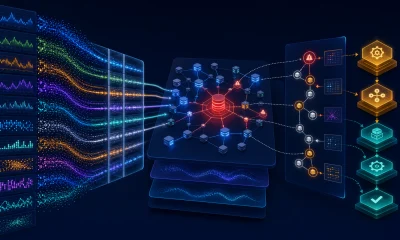
Read the AI Agents diagrams from the numbered input toward the observable outcome. The comparison isolates the boundary that distinguishes AI Agents from its closest shortcut, while the control path marks where authority or uncertainty must be checked before a real-world consequence. The labels remain ordinary responsive page text so they can translate, wrap, and reflow on a phone.
For AI Agents vs. Copilots vs. Workflows: What's the Difference?, the visual is a map rather than a guarantee. A real implementation may combine stages, repeat a step, or add a human approval boundary. What matters is whether the team can identify the same functions in the deployed system, assign an owner to each boundary, and test the transition between them. If a stage cannot be observed or measured, failures there will be difficult to diagnose.
What to Remember About AI Agents vs. Copilots vs. Workflows
Copilots, workflows, and agents are three patterns for dividing work among people, code, and models. A copilot keeps the person in the driver’s seat. A workflow keeps the route in code. An agent has bounded discretion over the route.
The best design is usually the least autonomous system that reliably delivers the required value. Use fixed code for known steps, model judgment for genuine ambiguity, and human approval where the consequence deserves it.