Best Of
10 Best AI Web Scraping Tools (November 2026)

 Add Unite.AI to your preferred sources on Google
Unite.AI may receive compensation when you use links to products we review. This does not influence our editorial evaluations. Read our affiliate disclosure.
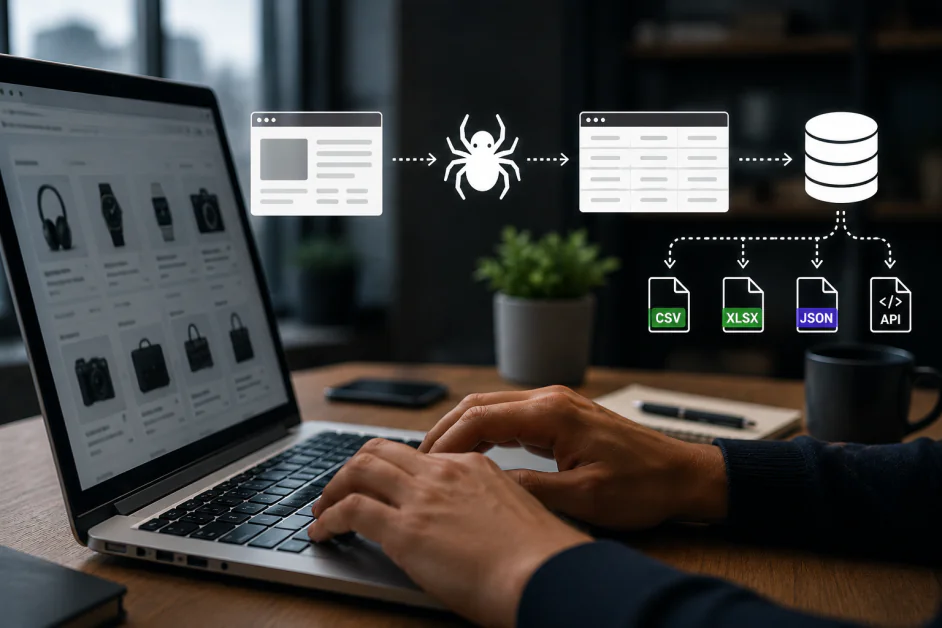
The best AI web scraping tool depends on what you want to do after a page loads. A research assistant needs readable content and source links. A market-intelligence system needs consistent records at scale. An interactive agent may need a browser that can click through several steps and keep its session alive.
This guide covers ten tools across those jobs, including enterprise collection platforms, content APIs, no-code scrapers, search-data services, and managed browsers. We assess how each product collects information, who can maintain the workflow, and the tradeoffs that matter when a prototype becomes a recurring process.
Our team independently evaluated every solution in this guide, assessing its capabilities, practical strengths, limitations, and suitability for the use cases reflected in our rankings.
Best AI Web Scraping Tools Compared
| AI Tool | Best For | Key Strengths |
|---|---|---|
| Bright Data | Enterprise collection and varied data pipelines | Scraper APIs, Browser API, Scraper Studio, datasets, proxies |
| Firecrawl | Web content for AI applications | Search, scrape, map, crawl, Markdown, JSON, Interact, MCP |
| Apify | Reusable scraping jobs and cloud orchestration | Actors, Crawlee, schedules, storage, proxies, APIs, MCP |
| Browse AI | No-code collection and change monitoring | AI-assisted setup, robots, alerts, schedules, integrations |
| SearchAPI | Structured search results and localized research | Google, Maps, shopping, video, AI search surfaces, JSON |
| Octoparse | Visual scraping with repeatable cloud execution | Templates, AI Assistant, auto-detection, cloud runs, exports |
| Browserless | Managed browsers for Puppeteer and Playwright | Hosted browsers, persistent sessions, REST APIs, MCP |
| ScrapingBee | Managed extraction through an application API | AI extraction, CSS/XPath, Markdown, JS scenarios, MCP |
| Oxylabs | Managed retrieval from demanding public websites | Web API /Scrape, rendering, structured output, MCP |
| Diffbot | Automatic extraction and entity intelligence | Extract, standard schemas, Crawl, Knowledge Graph |
How to Choose an AI Web Scraping Tool
Match the tool to the work
For an AI knowledge base, prioritize readable text, structured output, and retained source URLs. For repeatable business research, a visual robot and change alerts may matter more than a programming interface. For an interactive agent, look at session continuity and browser control. Search-result APIs solve a different problem: they provide search data, while collecting the linked pages is a separate step.
Decide who owns the workflow
A no-code platform lets an analyst adjust extraction steps directly. An API gives developers a clean interface for integrating collection into an application. A cloud job platform adds scheduling and storage, while a managed browser leaves more of the automation logic with your team. The right choice puts maintenance in the hands of the people who understand both the source websites and the required output.
Budget for useful records, not headline requests
Compare the cost of a completed job with the fields you need. Rendering, premium proxies, browser duration, AI extraction, storage, and repeat attempts can change the total. A free credit, a browser unit, and a search request are different measures. For recurring work, track completeness, duplicates, freshness, and cost per usable record alongside successful responses.
10 Best AI Web Scraping Tools
1. Bright Data
Bright Data is our overall recommendation for organizations that need several ways to acquire web data within one platform. Its range includes ready-made Scraper APIs, pre-collected datasets, Scraper Studio, Web Unlocker, and proxy services. An ecommerce intelligence team, for example, can use structured feeds for familiar retailers while building custom collection for a specialist marketplace. That breadth makes it particularly useful when the data program extends beyond one website or one department.
For interactive pages, Browser API hosts browsers that developers control with Puppeteer, Playwright, or Selenium. It combines browser execution with proxy management and CAPTCHA handling, while Chrome DevTools support helps engineers inspect a troublesome session. This is valuable when a workflow needs navigation or page interaction before the desired information becomes available, rather than simply downloading an existing dataset.
The main tradeoff is product selection and cost management. Browser traffic, scraping results, and dataset purchases represent different workloads, so a single headline price cannot describe the whole platform. Bright Data suits teams with an owner for collection quality, target coverage, and spending. A narrowly scoped project may reach production faster with a simpler extraction API.
Pros and Cons
- Broad collection options in one platform
- Hosted browsers support established automation libraries
- Ready-made APIs and datasets shorten setup
- Different products require separate cost planning
- Custom pipelines still need engineering ownership
2. Firecrawl
Firecrawl is our pick for developers turning web content into useful context for an AI application. Its search, scrape, map, and crawl tools cover the route from discovering a page to collecting a website, with Markdown and structured JSON reducing the cleanup required after retrieval. A research assistant or knowledge-base product can therefore spend more effort on answering questions and less on removing navigation menus from raw HTML.
Its current Interact offering extends the platform into live browser work. Agents can describe actions in natural language or execute browser code, maintain state between calls, and reuse authenticated profiles. That is a meaningful addition for pages that require clicks, filters, or a login before extraction. MCP and command-line access also make Firecrawl practical inside agent development workflows rather than only as a conventional application API.
Firecrawl works best when content acquisition is the immediate problem and the application already owns storage and retrieval. Teams still need to define crawl boundaries, preserve source URLs, and distinguish a missing field from an empty one. Its open-source code offers another deployment path, but teams should evaluate the specific features and operating requirements of their chosen deployment instead of assuming hosted and self-managed versions are identical.
Pros and Cons
- Markdown and JSON suit AI pipelines
- Interact supports stateful browser tasks
- API, MCP, and CLI access
- Retrieved content still needs validation
- Self-managed deployments require operational work
3. Apify
Apify is the strongest choice here for teams that want reusable scraping tools and a place to operate them. Its marketplace distributes Actors: packaged programs that accept inputs, run in the cloud, and return results. Existing Actors can accelerate common collection tasks, while custom Actors give developers a way to preserve their own extraction logic. This makes Apify a useful bridge between an experiment and a repeatable production job.
The surrounding platform handles important operational pieces, including schedules, result storage, proxy access, monitoring, and integrations. Developers can also build with Crawlee, its open-source crawling and browser automation library. Apify’s MCP server exposes Actors to AI agents, so the same packaged tool can serve an application, a scheduled pipeline, or an assistant without requiring a separate scraper implementation for each interface.
Actor selection deserves as much attention as platform selection. Different publishers may offer different pricing, maintenance, input options, and output quality. A successful run also does not establish that every expected record was collected. Apify is most compelling when someone owns the job’s schema, monitors changes, and budgets for the selected Actor and infrastructure usage; a one-page manual extraction rarely needs this much orchestration.
Pros and Cons
- Ready-made and custom Actors share a platform
- Scheduling, storage, and monitoring support repeatable jobs
- MCP brings Actors into agent workflows
- Actor maintenance and quality vary
- Usage and Actor charges need budgeting
4. Browse AI
Browse AI is our recommendation for business users who need recurring web data without building a software project. Its current setup can read a supplied page, propose a data structure, and let the user review or adjust the fields. Robot training remains central to repeatable extraction. This is a practical approach for operations and marketing teams collecting product listings, directory entries, or competitor information into familiar tables.
Monitoring is a particular strength. Robots can check pages on a schedule, identify additions or changes, and deliver alerts that explain what moved. Workflows can connect collection across pages, while API, webhook, and spreadsheet integrations help results reach the tools a team already uses. A price-monitoring workflow can therefore become an ongoing business process rather than a sequence of manual browser checks.
The accessibility does not eliminate the need for a clear data definition. Users should decide which changes deserve an alert and confirm that pagination, login steps, and empty results behave correctly. Large redesigns can still require intervention. Browse AI is best when a business team can review the extracted rows and maintain the robot; developers needing tightly versioned browser logic may prefer a code-based service.
Pros and Cons
- AI-assisted field setup lowers the entry barrier
- Scheduled monitoring highlights meaningful changes
- Spreadsheet, API, and webhook connections
- Major site changes can require retraining
- Complex logic needs careful workflow design
5. SearchAPI
SearchAPI is our specialist recommendation for collecting search results as structured data. Its Google API can return result links and search features in JSON, avoiding the need to maintain a parser for a changing results page. The broader catalog covers sources such as Maps, shopping, news, video, and supported AI search experiences. It is particularly useful when discovery and search visibility are the data product rather than a stepping stone to crawling another website.
Localization is an important part of that fit. Location, country, language, and device parameters let teams study a market from a defined search context. An SEO application can track a query in one city, while a research assistant can discover relevant sources and preserve the returned links for later retrieval. Engine-specific documentation matters because the available parameters and result fields differ across search products.
SearchAPI should be selected for the engines and fields a workflow actually needs. A search result is not the full contents of the linked page, and richer result surfaces do not all follow the same schema. Teams should budget for request volume, confirm throughput requirements, and handle missing result sections gracefully. For arbitrary website extraction or an interactive browser session, another tool in this guide is a better starting point.
Pros and Cons
- Structured results remove SERP parser maintenance
- Broad catalog of search and related engines
- Detailed localization controls
- Search results do not replace destination-page extraction
- Fields and parameters vary by engine
6. Octoparse
Octoparse demonstrates its AI Copilot and human-in-the-loop automation. Video: Octoparse.
Octoparse is a good fit for analysts who want to design a scraper visually and then run it repeatedly. Its current platform offers ready-made templates, AI Assistant setup, and page auto-detection in the desktop application. Users can refine the resulting task rather than starting with browser code. That flexibility is useful for collecting product catalogs, directories, or listings where the sequence of pages matters as much as the fields on each page.
Cloud execution turns a prepared task into a recurring collection process without keeping a personal computer running. Scheduling, parallel work, IP rotation, and export connections help larger jobs move beyond a desktop prototype. The visual approach is especially appealing to teams that understand their source websites and data requirements but do not want to maintain a custom browser automation service.
Octoparse still rewards careful task design. Pagination, infinite scrolling, form steps, and duplicate records can change the meaning of an apparently successful run. Cloud allowances and plan features should match the intended schedule and volume. We recommend it when a team wants more control over extraction steps than a quick one-click tool provides, with a named owner who can adjust the task when source pages change.
Pros and Cons
- Templates and AI assistance simplify setup
- Visual editing supports detailed extraction tasks
- Cloud runs support scheduled collection
- Complex sites require task refinement
- Cloud features depend on the selected plan
7. Browserless
Browserless is our recommendation for developers who want to control a browser while handing its hosting and scaling to a managed service. Existing Puppeteer or Playwright scripts can connect to remote browsers, making it attractive for projects that already have working automation code. This is especially useful when collection involves several interactions, a JavaScript-heavy interface, or a session that must survive beyond one simple request.
The service also provides REST APIs for scraping, screenshots, PDFs, and custom browser functions. Its hosted MCP server makes browser tools available to AI agents, while session features and authenticated profiles support workflows that need continuity. Browserless therefore suits both a developer building a custom data collector and an agent that needs to navigate and gather information through a real browser.
The key buying consideration is how browser work is metered. The free tier currently includes 1,000 units per month and two concurrent browsers, not 1,000 guaranteed scrapes. Browser time consumes units, with additional charges for proxy traffic and successful CAPTCHA solves; session limits vary by plan. Teams retain responsibility for extraction logic and output checks, so Browserless is most compelling when browser control matters more than a visual robot builder.
Pros and Cons
- Preserves familiar Puppeteer and Playwright workflows
- REST APIs cover scraping and page exports
- Session features and MCP suit interactive agents
- Browser time and add-ons affect unit consumption
- Custom extraction still needs application logic
8. ScrapingBee
ScrapingBee is a strong choice for developers who want a managed scraping request rather than direct control of a long-running browser. Its API combines page retrieval and JavaScript rendering with proxy management, while extraction can use CSS or XPath rules or AI instructions. That combination is useful when a project needs structured records from several websites but does not want to operate its own browser fleet.
JavaScript scenarios can click, scroll, type, or wait before the data is collected. Markdown output supports AI content workflows, and screenshots help capture the rendered page. The current product also offers dedicated APIs for selected targets, alongside CLI and MCP access. A developer can use explicit extraction rules for stable fields and natural-language extraction where the page structure or question is less predictable.
The distinction from a hosted browser platform is practical: ScrapingBee emphasizes the request and its returned result, while a custom application owns the wider job. Multi-page coordination, deduplication, refresh schedules, and record validation still need a home. Credit consumption also changes with the features used, including rendering and proxy options. We recommend it for application teams that value a straightforward HTTP interface and want to keep their data pipeline’s orchestration in their own code.
Pros and Cons
- Selector rules and AI extraction offer flexibility
- Rendering and scenarios handle interactive pages
- Markdown, CLI, and MCP support AI workflows
- Advanced request options increase credit usage
- Multi-page jobs still need orchestration
9. Oxylabs
Oxylabs is a strong option for teams that want managed access to difficult public websites and a path to larger collection volumes. Its current Web API includes a /Scrape offering for retrieving and structuring web data, with JavaScript rendering and access handling integrated into the service. The product lineup also includes /Search and browser infrastructure, giving teams several approaches depending on whether the task begins with discovery, extraction, or interaction.
Target-specific options help common search and commerce sources return useful fields, while agent connections through MCP and Agent Skills bring collection into AI workflows. Oxylabs also continues to document its Classic Web Scraper API separately. That distinction matters for an existing integration: a team maintaining the Classic API should use its corresponding documentation rather than assume that a newer Web API example is interchangeable.
Oxylabs makes the most sense when target difficulty, throughput, or the cost of maintaining access infrastructure justifies a managed platform. The application still needs to define its desired schema, freshness window, and handling for incomplete records. Before a rollout, align the chosen API generation, target options, and usage model with the actual job. For a small manual extraction, a visual scraper can be a more direct fit.
Pros and Cons
- Managed rendering and access infrastructure
- Target-specific structured extraction options
- Current Web API supports agent integrations
- Classic and current APIs require distinct setup
- Output quality still needs application checks
10. Diffbot
Diffbot is our choice when understanding the information on a page matters more than reproducing its layout. Extract uses computer vision and natural language processing to classify pages and produce structured JSON through standard schemas. For a team collecting articles or products across many sources, that can reduce the amount of site-specific parsing code needed to turn pages into comparable records.
Its Knowledge Graph addresses a related but separate need: working with entities such as organizations, people, and articles that have already been assembled from the public web. Records can combine information from multiple origins and link entities through meaningful relationships. This makes Diffbot useful for enrichment, company research, and intelligence applications that need context beyond the fields visible on one page.
The tradeoff is alignment with Diffbot’s data model. Standardized extraction is valuable when its page types and fields match the job, but an unusual field or specialized interaction can still call for another approach. Teams should distinguish extracting their chosen URLs from querying an existing knowledge graph, then assess coverage and source freshness accordingly. Diffbot fits technical teams building normalized information products better than users who simply need a few rows copied into a spreadsheet.
Pros and Cons
- Automatic classification reduces parser work
- Standard schemas help normalize similar pages
- Knowledge Graph adds entity context
- Standard fields may miss specialist requirements
- Extraction and graph access serve different workflows
Frequently Asked Questions
What makes a web scraping tool AI-powered?
AI can help identify fields, interpret page content, generate extraction steps, or control browser actions. Some tools use AI during setup; others use it for each extraction. A service can also support AI applications by supplying clean content without using a language model for every request. Choose the capability that solves your collection problem rather than relying on the label.
What is the difference between scraping and browser automation?
Scraping collects information. Browser automation performs page actions such as opening menus, entering a search, or moving through a multi-step workflow. They often work together: an automated browser reaches the relevant page state, then an extraction step collects the fields. A direct API request is usually simpler when those interactions are unnecessary.
Which tools are best for a nontechnical team?
Browse AI is our first recommendation for straightforward recurring collection and change monitoring. Octoparse is a strong alternative when the team wants more visual control over task steps. Both work best when someone reviews the resulting records and understands when the source website has changed.
What should an AI or RAG pipeline retain from a scrape?
Keep the source URL, collection time, page title, and the text or structured fields the application needs. Markdown can preserve readable document structure, while JSON supports defined records. Remove duplicate content and avoid mixing navigation text with the main material. Retaining provenance makes later answers easier to trace and refresh.
When is a managed browser worth using?
A managed browser is useful when collection needs JavaScript execution, several interactions, or session continuity, and your team wants to avoid hosting browser processes. Browserless is a focused option for existing Puppeteer or Playwright code. For a single static page, a simpler fetch or extraction API may use fewer resources.
Are 1,000 free units the same as 1,000 scrapes?
No. Units and credits follow each provider’s own rules. Browserless meters browser connections in blocks of up to 30 seconds, with additional unit consumption for proxy traffic and CAPTCHA solves. Other services charge according to request options, records, or compute. Estimate the complete workflow rather than equating different free-tier allowances.
Can an AI extraction result be trusted without review?
A valid JSON response can still omit a record or misinterpret a field. Define required fields, check types and ranges, sample the source pages, and monitor changes in record counts. For recurring jobs, explicit failure and empty-result states are more useful than treating every response as a complete dataset.
Final Thoughts on AI Web Scraping Tools
Bright Data is our overall pick for a broad web-data program, while Firecrawl is the best starting point for turning web pages into AI-ready content. Choose Apify when reusable tools, scheduled jobs, and cloud operations are central to the project.
For business teams, Browse AI makes recurring monitoring approachable, and Octoparse gives users a visual way to refine more involved extraction tasks. SearchAPI is the specialist choice when the required output is structured search data.
Browserless earns its place for developers who want managed browser execution with familiar automation libraries. ScrapingBee is a strong alternative when a managed extraction request fits the application better. Oxylabs suits demanding public-web retrieval, while Diffbot stands out for standardized extraction and entity intelligence.
The best long-term choice is the one that delivers the required information with a workflow your team can maintain. Match the collection method to the task, preserve source context, and judge value by usable output rather than the number of pages requested.