
Best Of
10 Best AI Avatar Generators (September 2026)

 Add Unite.AI to your preferred sources on Google
Unite.AI may receive compensation when you use links to products we review. This does not influence our editorial evaluations. Read our affiliate disclosure.
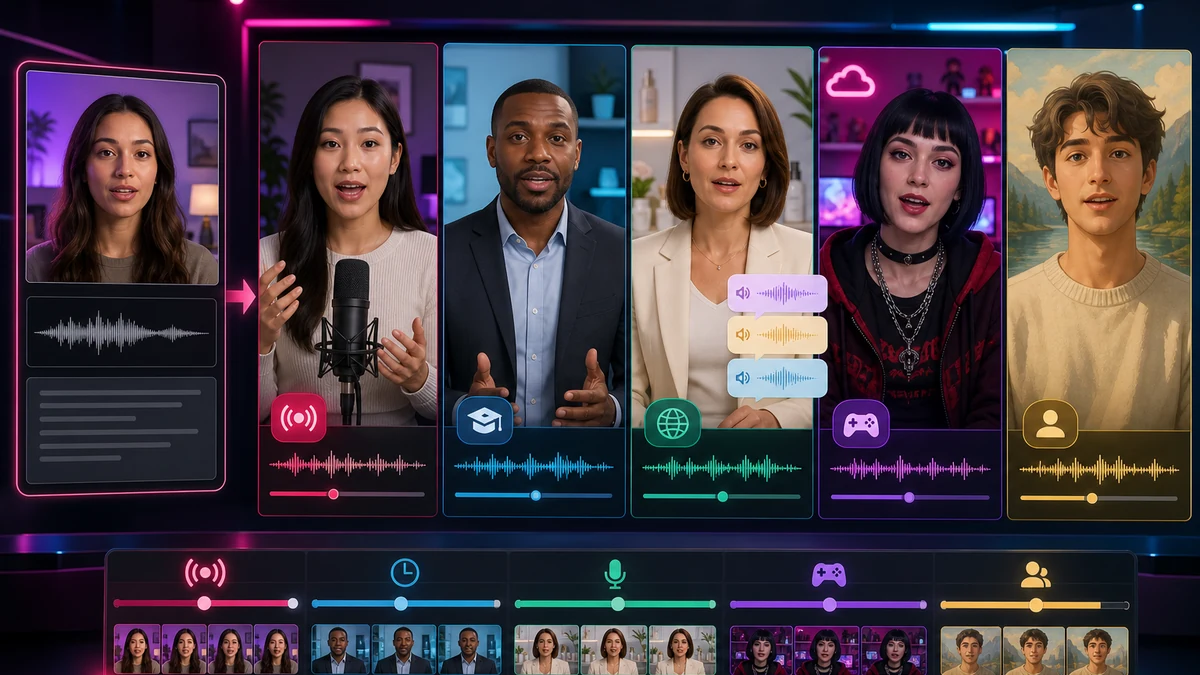
AI avatar generators have become useful tools for streaming and other forms of AI content creation, such as enhancing presentations, automating video production, or establishing a unique on-screen persona. These platforms enable creators to generate high-quality virtual presenters, complete with realistic facial expressions, synchronized voiceovers, and multilingual capabilities.
Whether you are a live streamer, a content creator on YouTube, or a brand looking to engage audiences through interactive video content, the right AI avatar generator can significantly elevate your production quality and storytelling.
Comparison Table of Best AI Avatar Generators
| AI Tool | Best For | Features |
|---|---|---|
| Synthesys | Content creators, educators | Lifelike AI voices & avatars |
| Akool Avatar | Marketing teams, enterprises | Real-time talking avatars (150+ languages) |
| DeepBrain | Corporate training, broadcasters | Unlimited video generation |
| HeyGen | Creators, influencers | 500+ stock avatars, 30+ languages |
| Pipio | Marketing/personalized video | Video outreach & voice cloning |
| Colossyan | eLearning, HR training | 150+ AI avatars, 70+ languages |
| Topview | Marketing teams, e-commerce brands | AI avatar videos, product demos, social video content |
| Synthesia | Agencies, corporate comms | 230+ AI avatars |
| Fliki | Social media, course creators | 2,500+ realistic voices |
| Wondershare Virbo | Educators, marketers | 350+ avatars, deep customization |
1. Synthesys
Synthesys is an AI-powered media studio that lets you create videos with lifelike digital avatars. It offers a wide range of realistic AI avatars and voices, enabling users to generate presentations, demos, or streaming content without traditional cameras or actors. The platform includes an ultra-intuitive interface and supports multi-language text-to-speech, so your avatars can speak in many languages.
For streamers and content creators, Synthesys provides an efficient way to produce professional-looking video segments or virtual hosts that engage audiences as if they were real on-camera presenters. This makes it suitable for streaming intros, explainer clips, or even as a virtual co-host, allowing creators to maintain a human presence on screen without appearing live themselves.
Beyond its library of 60+ stock avatars, Synthesys offers advanced customization for personalization. Users can generate an “Instant Avatar” by uploading a short video of themselves, creating a digital double in just minutes. The platform also supports voice cloning, so your avatar can speak with your own voice for a truly personalized touch. Additional features like AI photo animation (making a single image talk) and a face swap tool (to apply any face to an avatar) further expand the creative possibilities.
Pros and Cons
- Generates natural-sounding speech in 600+ voices (140+ languages).
- Fully customizable avatars (clone yourself or use stock).
- Expanded access removes watermarks and supports unrestricted video creation.
- Higher learning curve compared to simple apps.
- Entry-level access limits instant avatars and available generation credits.
2. Akool Avatar
Akool Avatar is an AI avatar platform geared towards both real-time streaming and pre-recorded video content. It provides over 130+ lifelike avatars spanning various ethnicities, ages, and professions, which you canect with text or voice inputs. Uniquely, Akool offers two modes of avatar generation: Streaming Avatars for interactive live use, and Talking Avatars for scripted videos.
The Streaming Avatar feature allows creators to deploy virtual presenters that respond in real time – for example, as a live AI streamer or virtual assistant during broadcasts. This makes Akool especially suitable for live streaming scenarios, where an avatar can converse dynamically with the audience or narrate events on the fly. For non-live content, Akool’s studio lets you quickly generate high-quality avatar videos for intros, tutorials, or announcements.
Akool Avatar’s platform emphasizes customization and integration. Users can create a custom avatar of themselves using just a webcam or an uploaded video, producing a digital twin that mirrors their appearance and mannerisms. The system supports voice cloning and a library of 500+ voices, so you can either replicate your own voice or choose from many styles for your avatar’s speech. Avatars can speak in over 150 languages with accurate lip-sync, enabling truly localized streaming content.
For power-users and developers, Akool provides an API for seamless integration — for instance, to embed avatars into apps or websites, or to automate live avatar control. Whether you need an interactive virtual host for a live event or just want to batch-produce engaging clips with a personal touch, Akool has a flexible solution.
Pros and Cons
- Huge avatar library (stock characters and custom options).
- Real-time conversational avatars (great for live streams).
- Supports 150+ languages and custom voice cloning.
- The platform can be less approachable for small teams.
- Advanced features may be overkill for casual users.
3. DeepBrain
DeepBrain’s AI Studios is an all-in-one platform for creating videos with realistic AI presenters. It features a roster of professional-looking AI avatars (modeled after real actors) and supports 80+ languages for text-to-speech, allowing creators to produce content that feels globally native.
The avatars in DeepBrain have natural facial expressions and gestures, making them ideal for streaming contexts where a polished, human demeanor is important. Streamers can use DeepBrain to generate segments like news-style updates, educational explainers, or commentary, and have a virtual “host” deliver the script convincingly to the audience. This can significantly streamline content production for live shows or video podcasts by handling parts of the presentation with an AI co-host that looks and sounds real.
DeepBrain AI Studios also shines in its user-friendly tools and collaboration features. It offers a built-in script assistant to help draft or refine your avatar’s dialogue, and an AI image generator to create supporting visuals.
Pros and Cons
- Easy text-to-video with natural presenters.
- Entry-level access supports a limited number of short videos.
- High customization (voice clone, custom avatars, 70+ languages).
- Video rendering can be slow, especially with entry-level access.
- Enterprise deployment requires a sales-led configuration process.
4. HeyGen
HeyGen is a popular AI avatar video generator known for its ease of use and extensive feature set. It provides over 300+ AI avatars – from businesslike newscasters to casual vlog-style characters – giving streamers plenty of choices to match their style. HeyGen’s avatars are high-quality and photorealistic, each capable of delivering lines in a very human-like manner with proper lip-sync and even hand gestures.
The platform excels at quick content creation: you can pick an avatar, type or paste your script, and generate a video in minutes. This makes it ideal for streamers who want to incorporate pre-made video segments (like channel announcements, sponsor messages, or explainer inserts) into their live streams without spending time on filming.
With support for 175+ languages and accents, HeyGen ensures your avatar can speak to virtually any audience in their native tongue, a great advantage for globally-minded creators. One standout aspect of HeyGen is its focus on customization and interactivity. You can create a custom avatar of yourself with just a 3-minute video recording – the system will train an avatar that looks and sounds like you, which is ready to use on the platform. This is perfect for streamers who want a virtual double to handle parts of a live show or produce content while they’re off-camera.
Pros and Cons
- Large template library (500+ realistic avatars).
- Easy script import from text, PPT or YouTube.
- Multi-language support is available even with entry-level access.
- Entry-level access limits output volume, duration, and resolution.
- Advanced avatars and 4K export require higher tiers.
5. Pipio
Pipio is an AI video platform focused on ultra-realistic avatars for personalized content. Aimed at creators and businesses, Pipio features a cast of 100+ AI actors that reflect a wide range of ethnicities, ages, and styles. These avatars are notable for their accurate lip-sync and facial expressions – a point often praised by users.
For streamers, this means any pre-recorded avatar segments (like commentary, skits, or Q&As) will feel more natural to viewers. Pipio is also designed to be easy: you input text, choose an avatar and voice, and the platform generates a video of the avatar speaking your script. This simplicity allows streamers with no video editing skills to quickly create engaging clips to insert into live streams or to share on social media as promos.
A key strength of Pipio is its personalization and localization capabilities. You can create your own custom avatar with Pipio – either through an “Express” option (fast setup using a selfie or short video) or a more advanced “Studio” option for higher fidelity.
Pros and Cons
- 100+ diverse avatars, plus create-your-own (“Studio Avatar”).
- Simple editor with voice cloning and translation.
- Entry-level access is available for testing core workflows.
- Focused on short outreach videos (not full-length courses).
- Studio custom-avatar creation requires expanded access.
6. Colossyan
Colossyan Creator is an AI video generator known for its studio-quality avatars and advanced video interactivity features. It offers a library of 200+ AI avatars representing different ethnicities, professions, and ages, filmed in high definition. These stock avatars look like real people and can deliver your scripts with professional poise – perfect for streamers who want a slick, corporate-quality look for certain segments (like news updates or sponsored messages) in their streams.
Colossyan’s avatars can speak in 70+ languages, enabling creators to easily localize content or include multilingual elements in their videos. The platform emphasizes quick video creation (text-to-video in minutes) and even supports turning entire documents or slide decks into videos, which could help streamers convert their longer form content (like tutorials or guides) into an avatar-presented video format with minimal effort.
With their Instant Avatar feature, you can record a short 20-second video of yourself and generate a custom avatar that looks, moves, and sounds like you, complete with your unique hand gestures and mannerisms, all in under a minute.
Pros and Cons
- Focus on corporate use: quizzes, branching, SCORM export.
- Avatar conversations (talking to each other) for scenarios.
- Strong localization: auto-translate to 70+ languages.
- Entry-level access limits video generation and adds a watermark.
- Seat-based organization may be less convenient for solo creators.
7. Topview
Topview AI is a video-first AI avatar platform built for creators, marketers, and e-commerce teams that want to generate avatar-led videos quickly without cameras or production crews. Unlike avatar tools focused primarily on realism, Topview emphasizes speed and automation, allowing users to turn scripts, URLs, or product images into finished videos optimized for short-form and social platforms. The platform runs entirely in the browser, making it accessible to users without prior video editing experience.
Topview is particularly well suited for marketing-style and social media video content. Its avatars can be combined with automated scripting, multilingual voiceovers, and platform-specific formatting, enabling fast iteration across ads, product demonstrations, and promotional clips. While the avatars are less cinematic than enterprise-focused competitors, the overall workflow prioritizes efficiency and scalability, making Topview a strong option for teams producing high volumes of AI-generated video content.
Pros and Cons
- Large avatar and voice library, with multilingual support for global audiences.
- Built-in automation for scripting, editing, and social format optimization.
- Entry-level access lets users test the core tools.
- Not as specialized for static avatar creation as dedicated avatar-first tools.
- Entry-level output includes watermarks, and advanced features have a learning curve.
8. Synthesia
Synthesia is one of the most renowned AI avatar video platforms, often praised for its ultra-realistic avatars and enterprise-grade capabilities. It provides 230+ avatars (called AI actors) covering a broad range of looks and styles, all filmed by real actors to ensure natural motions and expressions. For streamers, this means any video created with Synthesia’s avatars will have a high level of polish – the avatars maintain eye contact, use authentic gestures, and generally appear very human.
Synthesia supports 140+ languages and accents, making it ideal for content that needs to be translated or accessible to a global audience. Many streamers use Synthesia to create professional intros, explainer videos, or recap clips for their channels, as the output is broadcast quality. The platform works in a browser; you just type your script, choose an avatar and voice, and generate a video – no video production skills needed.
What sets Synthesia apart is its focus on corporate and personalized use cases. While it has plenty of stock avatars, Synthesia allows you to create a custom avatar by recording yourself in a studio setting; this is then added to your account for your exclusive use. Another powerful feature is 1-click translation – you can instantly translate your avatar’s script into other languages and the avatar will speak it, useful for re-posting your stream highlights in different languages.
Pros and Cons
- Studio-quality avatars and clean interface.
- Collaborative workspace (comments, versioning).
- A limited trial includes a 30-minute demo video.
- Entry-level video allowances are limited.
- Custom avatars and enterprise capabilities require expanded access.
9. Fliki
Fliki makes creating videos as simple as writing with its script-based editor. Create videos with lifelike voiceovers and AI avatars in minutes, powered using AI. Fliki also features over 2000 realistic Text-to-Speech voices across 75+ languages.
Fliki stands out from other tools because they combine text to video AI, text to speech, and AI avatars — giving you an all-in-one platform for your content creation needs.
You can create videos for a wide variety of use cases. This includes generating educational videos, explainers, product demos, social media content, YouTube videos, Tiktok Reels, talking photo avatars & video ads.
Pros and Cons
- Massive voice selection (2,500+ voices, 80+ languages).
- Blog-to-video and PPT-to-video tools.
- Entry-level access supports short projects, with higher-resolution output available through expanded access.
- Avatars are more cartoonish; not as realistic as others.
- Entry-level output includes a watermark.
10. Wondershare Virbo
Wondershare Virbo is an AI avatar video generator tailored for fast and efficient content creation. It boasts 350+ diverse avatars and 400+ voice options, giving users a vast toolkit to craft the perfect virtual presenter for any scenario.
Virbo emphasizes ease-of-use: with a clean interface, you can select an avatar, type your script, and produce a video in just a few clicks. Its avatars are lifelike and well-animated, suitable for marketing content, tutorials, or entertainment. For streamers, Virbo can quickly generate segments like product promos, channel announcements, or storytelling clips that look professionally made.
The platform supports 80+ languages for speech, and it includes features like an AI script assistant and a photo animator. One of Virbo’s unique angles is its integration into different workflows. It’s available as a web service and also has mobile apps on iOS/Android, meaning you can create avatar videos on the go from your phone – convenient for streamers who want to generate quick content between live sessions.
Pros and Cons
- Very large avatar library (350+) and voices (460+).
- Built-in AI toolkit (script writing, dubbing, editing).
- Commercial-use assets (no hidden licensing issues).
- Still maturing; user base is smaller.
- UI can be cluttered for non-technical users.
How to Choose an AI Avatar Generator
When selecting an AI avatar generator, focus on your specific content goals and practical constraints. Consider whether you need simple talking-head videos or more advanced, interactive avatars. Think about whether multilingual support is essential and how much generation volume and production control you need.
For lightweight use cases like short-form social content, basic tools with entry-level access may be sufficient. For more advanced needs—such as corporate training, onboarding, or educational content—you may require platforms with deeper customization, interactive features, and stronger production capabilities. Key factors to evaluate include output quality (both visual realism and voice naturalness), ease of use, and collaboration tools for teams.
Generation allowances and access models vary widely, so compare the output limits, collaboration controls, watermark policies, and commercial licensing terms that apply to your intended use.
It’s helpful to think through real-world requirements before committing. Do you already have scripts or videos you want to repurpose? Will you need custom avatars that reflect your team or brand? How quickly can you get up to speed with the platform?
Many solutions offer limited trials or demos that help you test avatar realism, voice quality, and export options. Taking the time to compare these factors will help ensure you choose a platform that aligns with your needs and delivers strong long-term value.



