Best Of
10 Best AI Hairstyle Apps (October 2026)

 Add Unite.AI to your preferred sources on Google
Unite.AI may receive compensation when you use links to products we review. This does not influence our editorial evaluations. Read our affiliate disclosure.
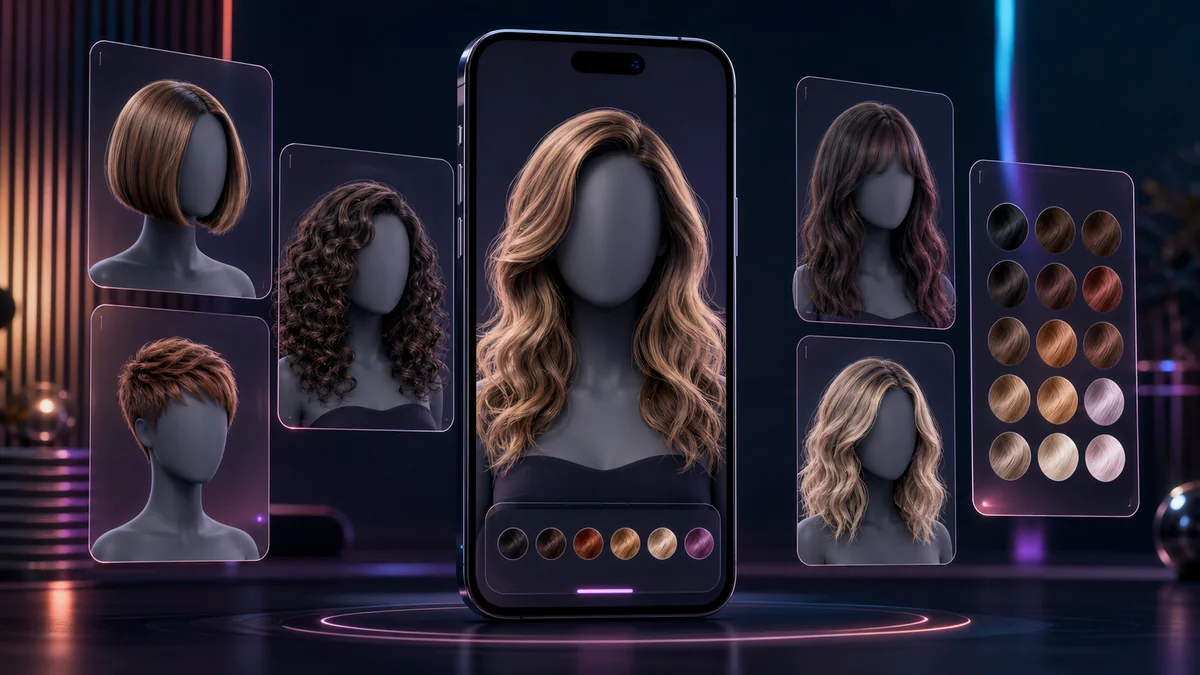
AI hairstyle apps are now useful enough to sit between casual inspiration and a real salon conversation. The best tools do more than paste a flat wig on top of a selfie. They regenerate hair around the face, test different lengths and textures, preview color changes, and create reference images that can help someone explain what they want before a cut or color appointment.
The right app depends on the decision being made. Some people want a quick answer about bangs or a bob. Others want to compare men’s fades, curls, longer layers, color families, or a full beauty look. A few users already have a reference photo from Instagram or a salon website and want to see whether that direction works on their own face.
These previews are still planning aids, not guarantees. Real hair has density, growth patterns, curl structure, cowlicks, maintenance needs, and styling limits that a generated image cannot fully capture. The strongest workflow is to test several options, save the most convincing examples, and use them as a starting point with a qualified stylist or barber.
Best AI Hairstyle Apps Compared
| App | Best For | Key Strengths |
|---|---|---|
| Fotor | Broad hairstyle and color previews in a web-first editor | Prompted styles, preset trends, hair color tools, face-shape-aware previews, mobile and browser access |
| YouCam Makeup | All-in-one beauty editing with hairstyle try-on | AI hairstyle try-on, hair color, hair transfer, makeup, face retouching, fashion and beauty tools |
| MyEdit | Fast browser-based hairstyle tests | 50+ hairstyle templates, custom prompts, color experiments, web workflow, common image-format support |
| PhotoDirector | Hairstyle previews inside a deeper photo editor | AI hairstyle, portrait editing, layers, generative tools, mobile app, Windows and macOS editing |
| FaceApp | Realistic mobile portrait transformations | Hair filters, hair color, blowout effects, one-tap portrait edits, iOS and Android apps |
| LightX | Preset and text-directed hairstyle generation | AI hairstyle generator, haircut simulator, prompts, men’s and women’s styles, mobile apps, API option |
| AirBrush | Selfie editing with natural hairstyle previews | AI hairstyle changer, face-matched previews, portrait retouching, mobile and web access, hair and beauty tools |
| insMind | Simple online haircut and color comparisons | Short hair, long hair, curls, bangs, buzz cuts, color tools, men’s and women’s workflows |
| Hairstyle AI | Simple hairstyle previews without a complex app | 100+ hairstyles and colors, browser workflow, direct upload, quick try-on experience, no heavy editing suite |
| HairTry | iPhone hairstyle previews and reference imports | Real-time try-on, face-shape analysis, color previews, recommendations, reference hairstyle inspiration |
10 Best AI Hairstyle Apps
1. Fotor
Fotor is the strongest starting point for most readers because it combines a dedicated AI hairstyle changer with the rest of a mature photo-editing platform. A user can upload a portrait, choose from current haircut ideas, test hair colors, or describe a more specific look in plain language. That matters in this category because hairstyle try-on is rarely just about one cut; people usually want to compare length, color, volume, fringe, face framing, and how polished the final reference image looks.
The tool is especially useful when someone wants a quick salon reference rather than a playful filter. Fotor supports both men’s and women’s styles, color experiments, buzz cuts, bangs, fades, curls, bobs, longer looks, and text-directed variations. The surrounding editor also helps clean up the final image, so the preview can be shared with a stylist, barber, friend, or client without looking like a rough mockup.
Pros and Cons
- Strong mix of preset styles and prompt-based hairstyle generation
- Covers cuts, colors, men’s looks, women’s looks, bangs, fades, curls, and longer styles
- Runs in the browser and connects naturally with Fotor’s mobile/editor ecosystem
- Useful for creating salon-reference images rather than one-off novelty edits
- The broader editor helps refine portraits after the hairstyle preview
- The number of options can feel busy for someone who only wants a simple haircut preview
- Best results still depend heavily on a clear front-facing portrait
- Very specific salon cuts may require several prompt attempts
2. YouCam Makeup
YouCam Makeup is a natural fit for readers who want to evaluate a hairstyle as part of a complete look. Perfect Corp’s (PERF ) consumer app combines hairstyle previews with makeup, skin, face, fashion, and image-generation tools, which makes it useful when a new cut is tied to a broader change in personal style.
The hairstyle workflow supports short cuts, bangs, long layers, wavy looks, hair color changes, and hair transfer from a reference photo or prompt. That makes YouCam useful for people who want to move between guided presets and more specific inspiration images without leaving the beauty-editing environment.
Pros and Cons
- Combines hairstyle previews with makeup, retouching, and broader beauty tools
- Supports haircut previews, hair color, and reference-based hair transfer
- Strong mobile experience with a large established user base
- Helpful when judging a full look rather than the haircut alone
- The breadth of beauty tools can distract from simple hairstyle comparison
- Some workflows differ between the mobile app and web editor
- Heavy retouching can make it harder to judge the haircut realistically
3. MyEdit
MyEdit is one of the easiest choices for quick browser-based hairstyle exploration. The tool focuses on the actual task: upload a portrait, choose a style, test color, and download a result that can be compared against other looks. It supports more than 50 hairstyle templates and also accepts custom prompts when the user has something more specific in mind.
The experience is lightweight compared with full creative suites. That is a strength for readers who want to test bobs, pixies, waves, curls, bangs, longer styles, or men’s cuts without installing another app. MyEdit also includes related portrait and image tools, but the hairstyle changer remains simple enough for casual use.
Pros and Cons
- Clean browser workflow with no desktop installation required
- Good balance of preset hairstyles and custom prompts
- Supports common image formats and larger portrait uploads
- Practical for quick before-and-after comparisons
- Less of a full beauty ecosystem than YouCam or Fotor
- Custom prompts can vary in realism from attempt to attempt
- Not as salon-specific as tools built around reference imports
4. PhotoDirector
PhotoDirector is best for users who want hairstyle previews inside a serious photo-editing workflow. CyberLink positions AI Hairstyle as one of the creative features in PhotoDirector, alongside portrait enhancement, generative tools, object editing, effects, and desktop-grade image controls.
That extra editing depth is valuable when the first preview is close but needs polish around lighting, skin tone, background, sharpness, or framing. It is less direct than a single-purpose haircut simulator, but it gives creators more room to turn a rough hairstyle concept into a presentable image.
Pros and Cons
- Connects hairstyle previews with a capable photo-editing environment
- Available across mobile and desktop workflows
- Useful for creators who want to refine the final portrait
- Includes broader generative and enhancement tools beyond hair
- More complex than a dedicated hairstyle simulator
- The interface may be more than casual users need
- Mobile and desktop experiences are not identical
5. FaceApp
FaceApp remains relevant because it is unusually strong at realistic portrait transformations. Its hair filters are not built like a salon catalog with endless named cuts; they are designed to blend hairstyle and color changes into an existing selfie with the polished look that made the app popular in the first place.
This makes FaceApp useful for testing a general direction: fuller hair, a different shade, a smoother blowout, shorter styling, or a more dramatic social-photo look. It is less ideal for someone who needs precise barber instructions, but it is effective for quickly seeing whether a broad hairstyle change feels natural on a face.
Pros and Cons
- Strong realism for one-tap portrait transformations
- Includes hairstyle, hair color, and blowout-style effects
- Simple mobile workflow on iOS and Android
- Good for testing broad style directions quickly
- Less haircut-specific than dedicated salon-planning tools
- Does not publish a detailed public hairstyle catalog
- Users should review privacy settings before uploading personal portraits
6. LightX
LightX is a flexible option for readers who want both guided hairstyle choices and text-directed experimentation. Its AI hairstyle generator covers common men’s and women’s looks, while related haircut and API pages show that LightX is treating hairstyle simulation as a broader creative and product capability rather than a small filter.
The prompt workflow is helpful when a preset list does not include the exact look a user wants. Someone can describe a quiff, short curls, layers, braids, waves, color direction, or a more stylized haircut concept, then compare the generated result with other edits inside LightX’s broader design platform.
Pros and Cons
- Supports both preset styles and custom text descriptions
- Covers men’s and women’s hairstyle directions
- Part of a larger image-editing and design platform
- API availability may matter for brands or apps building hairstyle features
- Prompted results can be less predictable than preset try-on
- The broader design platform may feel excessive for simple comparisons
- Best outputs require clear portraits and specific prompts
7. AirBrush
AirBrush is a good match for users who already think in terms of selfie editing. Its AI Hairstyle Changer is built into a portrait-focused environment, so users can test a cut and then adjust the surrounding photo with familiar beauty, background, and enhancement tools.
The hairstyle page emphasizes natural-looking previews matched to the face, which is the right promise for this use case. AirBrush works best when the goal is a polished personal image or social-ready comparison rather than a technical salon plan with exact measurements and cut instructions.
Pros and Cons
- Strong fit for selfie-first users
- Combines hairstyle previews with portrait retouching and beauty tools
- Works through web and mobile workflows
- Useful for producing polished shareable comparisons
- Not as focused on professional salon consultation as a dedicated tool
- Retouching can make the final preview less objective
- Precise cuts may need comparison across several generated results
8. insMind
insMind is a straightforward online choice for users who want to try common haircut categories without navigating a complex editor. Its AI hairstyle changer covers short hair, long hair, curls, bangs, buzz cuts, colors, and related style pages for men’s and women’s looks.
The tool is easiest to recommend for quick exploration. A user can upload a clear selfie, move through recognizable style families, and compare results before a salon or barber visit. It does not have the same product depth as Fotor, YouCam, or PhotoDirector, but the focused workflow is exactly what some readers need.
Pros and Cons
- Simple browser workflow for common hairstyle categories
- Covers short styles, long styles, curls, bangs, buzz cuts, and colors
- Provides separate pathways for men’s and women’s hairstyle ideas
- Good for quick comparison before a haircut appointment
- Less robust as a full creative editor
- Fewer advanced controls than prompt-heavy tools
- Best used for broad direction rather than exact stylist instructions
9. Hairstyle AI
Hairstyle AI is useful when readers want a dedicated hairstyle preview without opening a large beauty or design app. The service focuses on uploading a photo and testing a broad collection of hairstyles and colors, which makes it easy to compare looks without extra editing distractions.
That narrow focus is the point. Hairstyle AI is not trying to replace a full photo editor or beauty platform; it is for people who want to answer a practical question quickly: what would this length, texture, or color direction look like on me?
Pros and Cons
- Dedicated hairstyle workflow with a broad style and color library
- Easy browser-based upload and preview process
- Less clutter than larger beauty-editing platforms
- Good for quick personal experimentation
- Fewer surrounding photo-editing tools than full creative suites
- Less useful for makeup, fashion, or full-look planning
- As with any simple try-on tool, realistic results depend on photo quality
10. HairTry
HairTry is a strong final inclusion because it is built specifically around deciding on a haircut. The iPhone app supports hairstyle and color previews, face-shape analysis, recommendations, and a practical consultation workflow for people who want feedback before committing to a cut.
Its most interesting angle is reference-driven inspiration. Users can bring in a hairstyle from social media, a salon page, or another photo and use the app to think through whether that look makes sense for their own face and preferences. That makes HairTry especially useful for users who already know the direction they like.
Pros and Cons
- Dedicated haircut simulator rather than a general photo editor
- Supports face-shape analysis and personalized recommendations
- Useful for testing hairstyle and color before a salon visit
- Reference inspiration is helpful when users already have a target look
- Best fit for iPhone users
- Not as comprehensive as multi-platform beauty ecosystems
- Reference-based previews can still differ from real hair texture and density
How to Choose the Right AI Hairstyle App
Start with the kind of decision you are trying to make. If you want quick inspiration, choose an app with a strong preset library. If you already know the look you want, choose a tool that supports prompts or reference photos. If the haircut is part of a larger beauty update, a platform with makeup, color, retouching, and outfit tools may give a more realistic sense of the complete result.
Use the clearest portrait you can. A front-facing image with even lighting, hair pulled away from the face where possible, and minimal background clutter gives the model the best chance of placing the new style naturally. Side angles, hats, heavy shadows, sunglasses, and hair covering the jawline or forehead usually make results less reliable.
Judge the output like a reference board, not a promise. Look for patterns across several generations: whether shorter styles flatter the jawline, whether bangs crowd the face, whether a color warms or washes out the skin, or whether volume near the temples feels balanced. The most helpful generated images are the ones that make the salon conversation clearer.
Privacy deserves attention because these apps process facial images. Before uploading, check whether the service explains retention, deletion, model-training use, and account controls. Avoid uploading someone else’s photo without permission, especially if the image is private, belongs to a child, or was taken from social media.
FAQ: AI Hairstyle Apps
Can an AI hairstyle app accurately predict a haircut?
It can help visualize direction, but it cannot fully predict the real cut. Hair density, texture, curl pattern, growth direction, styling routine, and a stylist’s technique all affect the final result. Treat the image as a conversation aid.
What photo works best for hairstyle try-on?
Use a sharp, front-facing portrait with even lighting. Keep the face visible, avoid hats and heavy shadows, and pull hair away from the face if possible. A clean input photo is often the difference between a believable preview and a distorted one.
Can these apps change hair too?
Many can. Some tools focus on haircut shape, while others also test natural shades, bold colors, highlights, or full color transformations. Color previews are useful, but a colorist should still account for current hair condition and achievable lift.
Which hairstyle app is best for men?
Fotor, LightX, insMind, and HairTry are especially relevant for men’s styles because they cover cuts such as fades, buzz cuts, quiffs, curls, or short textured looks.
Can I use a celebrity or salon hairstyle as a reference?
Some tools support reference photos or prompt-based direction, but results should be used responsibly. A celebrity haircut may not translate to a different hairline, density, face shape, or styling routine. Use the reference to communicate a direction, not to expect a perfect copy.
Are AI hairstyle apps safe for private photos?
Safety depends on the provider. Review the privacy policy, retention terms, account deletion process, and whether uploaded images may be used for model improvement. For sensitive portraits, choose tools with clear controls and avoid uploading images you would not want stored online.
Final Thoughts
Fotor is the best overall choice for most readers because it combines strong hairstyle generation with a polished editing environment. YouCam Makeup is better for full beauty try-on, while MyEdit is excellent for fast browser comparisons. PhotoDirector and FaceApp work well when portrait realism and editing polish matter. LightX, AirBrush, insMind, Hairstyle AI, and HairTry round out the list for users who want prompt flexibility, selfie polish, simpler try-on, or mobile consultation workflows.