
AI Tools 101
Claude AI Review: I Put It Through 6 Real World Tests

 Add Unite.AI to your preferred sources on Google
Unite.AI may receive compensation when you use links to products we review. This does not influence our editorial evaluations. Read our affiliate disclosure.

You ask an AI chatbot for help with a report and get back a wall of text. Then the real work starts: pasting it into Word, fixing the formatting, building the slides, and double-checking every number. Most AI assistants can help with the work, but you still have to finish it.
That’s the gap Anthropic is trying to close with Claude. When I first reviewed it, Claude couldn’t do online research, and the big question was whether Claude 3.7 Sonnet beat 3.5. Today, it searches the web, remembers past conversations, connects to apps like Gmail and Slack, and can turn your ideas into finished files or working apps.
So I put Claude through six tests based on work I’d actually do: writing an article in my own style, researching a topic, analyzing a 425-page report, cleaning a messy spreadsheet, building a presentation, and creating a small app. Then I checked the results for accuracy, quality, and how much work I’d need to do myself.
In this Claude AI review, I’ll show you what it produced, where it impressed me, and where it still fell short. I’ll finish by comparing it to my top three alternatives: ChatGPT, Google Gemini, and Perplexity. By the end, you’ll know which AI assistant is right for you.
Verdict
Claude is one of the most capable AI assistants, especially for writing, research, data analysis, and creating documents and presentations. However, the lack of image generation and usage limits are drawbacks, but the free plan is useful and Pro offers a solid set of tools for $20/month.
Pros and Cons
- The free plan is usable: web search, memory, file creation, code execution, app connectors, and artifacts are all included.
- It creates finished files: Docs export to Word or Google Docs, Slides export to PowerPoint or PDF, and Design exports to PDF, PPTX, HTML, or Canva.
- Writing quality is widely regarded as Claude’s biggest strength.
- Projects and custom instructions let you load a style guide once and reuse it across every chat.
- Research mode searches the Internet and returns cited reports.
- It handles very long documents, with Opus 5.5 having a 1-million-token context window.
- It can analyze spreadsheets and CSVs, then build charts and files from the results.
- The Pro plan includes Claude Code (Anthropic’s coding agent) at no extra charge.
- It’s available on web, Mac, Windows, iOS, and Android, and has extensions for Chrome and Microsoft 365.
- Connectors let it read from and act inside tools like Gmail, Slack, Salesforce, and Excel.
- Scheduled tasks can run recurring work without you starting it each time.
- There’s no built-in image generator to create photos or illustrations from prompts, though Claude can design layouts and draw diagrams.
- Usage limits are the most common complaint online, though I have been on the Pro plan for years and haven’t hit a limit once.
- Docs, Slides, and Design are only available on paid plans.
- Jumping from Pro ($20) to Max (from $100/month) is steep if Pro’s limits aren’t enough.
- There were reliability issues in 2026, including a run of outages across Claude’s apps in August.
- Plans, models, and features change fast, so it can be hard to know which model or mode to use.
- Design editing is limited on mobile.
What is Claude AI?
Claude is the AI assistant built by Anthropic, an AI safety and research company founded by former OpenAI researchers. Like ChatGPT and Gemini, it’s built on large language models, so you can talk to it as you would anyone in English and ask it to write, explain, analyze, or code.
From Chatbot to Finished Work
Claude doesn’t just function as a chatbot that spits out text and you do the rest of the work. Instead, Anthropic pitches it as an assistant you hand tasks to. In September 2026, Anthropic merged the regular chat app with Cowork (its agent workspace) into one app. It also introduced Claude Docs and Claude Slides in beta.
In practice, that means with Claude you can:
- Ask for a report, and you get an editable document you can export to Word or Google Docs.
- Ask for a presentation, and you get a slide deck you can download as a PowerPoint or PDF.
- Ask for a dashboard, a calculator, or a small website, and Claude builds it as a working page you can share.
- Upload a spreadsheet, Claude runs code on it, then returns charts and files that have been cleaned up instead of guessing at the numbers.
Claude Design, which launched in April 2026, handles visual work like mockups, social graphics, and pitch decks. These visuals can be exported to Canva, PDF, PPTX, or HTML.
The Models Behind It
Claude runs on a family of models, and which ones you can use depends on your plan:
- Haiku: The fastest and cheapest model for quick and simple tasks.
- Sonnet: The everyday model. Sonnet 5.5 launched on September 28, 2026, and is the default for most work.
- Opus: The more capable model for complex reasoning and long documents. Opus 5.5 launched on September 22, 2026.
- Fable: Anthropic’s newest most advanced model (Fable 5.1, September 2026), available on paid plans using usage credits.
The free plan includes Sonnet and Haiku. Pro and above add Opus and Fable.
What Claude Still Can’t Do
Claude still doesn’t generate images from a prompt. If you want a hero image or an illustration, you’ll need a separate AI image generator. However, Claude can analyze images you upload, and it can produce diagrams, charts, and layouts with code.
Who is Claude AI Best For?
Here’s who Claude AI is best for:
- Writers and content teams looking beyond standalone AI writing tools can load a style guide and paste articles into a Project, then get drafts that follow that voice without repeating instructions in every prompt.
- Researchers, students, and analysts can upload long reports or papers (a job that used to need a separate AI PDF summarizer) and ask specific questions, or run Research mode for a cited overview of a topic before digging into the sources themselves.
- Marketers and consultants can go from a brief to a finished deck or document export in a single conversation.
- Small business owners looking for AI tools for business can upload a sales or expense spreadsheet and get charts, a summary, and an organized file back.
- Developers get Claude Code included with Pro, so they can use the same subscription for chat and for writing, testing, and fixing code in their projects.
- Non-designers can use Claude Design to mock up a landing page, social post graphic, or pitch deck, then export it to Canva for final edits.
- Teams using Microsoft 365, Google Workspace, or Slack can use connectors and extensions to have Claude read email, documents, and messages where the work already lives.
- Anyone who handles repeat work can set up scheduled tasks, like a Monday summary of last week’s emails or a weekly competitor scan.
Claude AI Key Features
Here are Claude’s key features that stood out to me:
- Claude Docs: Creates long-form documents you can edit in Claude, then export to Word (DOCX), PDF, Markdown, or Google Docs.
- Claude Slides: Builds presentations and exports them to PowerPoint (PPTX), PNG, or PDF. It’s a solid alternative to dedicated AI presentation generators, but you’ll need a separate tool to generate and add images to the presentation.
- Claude Design: Visual design for mockups, prototypes, social assets, and decks, with exports to PDF, PPTX, HTML, and integrations like Canva.
- Artifacts: Interactive outputs like dashboards, calculators, and small websites that run in the browser and can be shared with a link.
- Research: Does research by searching multiple sources and gives you a report with citations.
- File creation & code execution: Claude writes and runs code to analyze data, build charts, and produce files like spreadsheets, even on the free plan.
- Projects: Workspaces that hold your files and custom instructions so every chat inside them starts with the same context. Projects were redesigned in September 2026 to let you manage multiple chats with the same shared context.
- Memory: Remembers preferences and context across conversations, and you can view and edit what it remembers.
- Connectors: Links Claude to apps like Gmail, Google Drive, Slack, Salesforce, and Excel so it can read and act inside them.
- Skills & plugins: Reusable instructions (skills) and add-ons (plugins) that teach Claude a specific workflow, which you can share with your team.
- Scheduled tasks: Runs recurring work on a schedule without you starting it each time.
- Claude Chrome extension & computer use: One of the more capable AI Chrome extensions, it lets Claude navigate websites and (on desktop) operate apps on your computer.
- Claude Code: Anthropic’s coding tool for working on real code projects. Claude ranks among the top AI code generators.
- Voice mode: Talk to Claude hands-free on mobile and desktop.
- Long context: Opus 5.5 can work with up to 1 million tokens, making it possible to work with book-length documents or large codebases in a single conversation.
Hands-On Testing: What Claude AI Actually Produced
I ran six tests designed around the kinds of finished work people actually would pay Claude for. For each one, I focused on the output: how accurate it was, how professional it looked, and how much I had to fix before I’d use it.
Test 1: Writing a Long-Form Article in a Specific Voice

For my first test, I created a Project in Claude, uploaded Unite.ai’s editorial policy and three of my published reviews as style references. Next, I added this as the custom instruction: “Write in a first-person, honest, practical tone. Avoid marketing language. Use short paragraphs.”
Then I chose Sonnet 5.5 as my model and gave it the same prompt I used in my Jasper and Writesonic reviews:
“Write a 1,200-word article titled ‘What Generative Engine Optimization Actually Changes for Content Teams.’ Cover what GEO is, how it differs from traditional SEO, what signals AI search engines use when deciding which sources to cite, and what a small content team should do differently starting now. Use specific examples, and cite a source with a link for every statistic.”
Claude came back with a 1,232-word article, just 32 words over my 1,200-word target. It searched the web on its own, and it successfully pulled in current material (some from earlier this year).
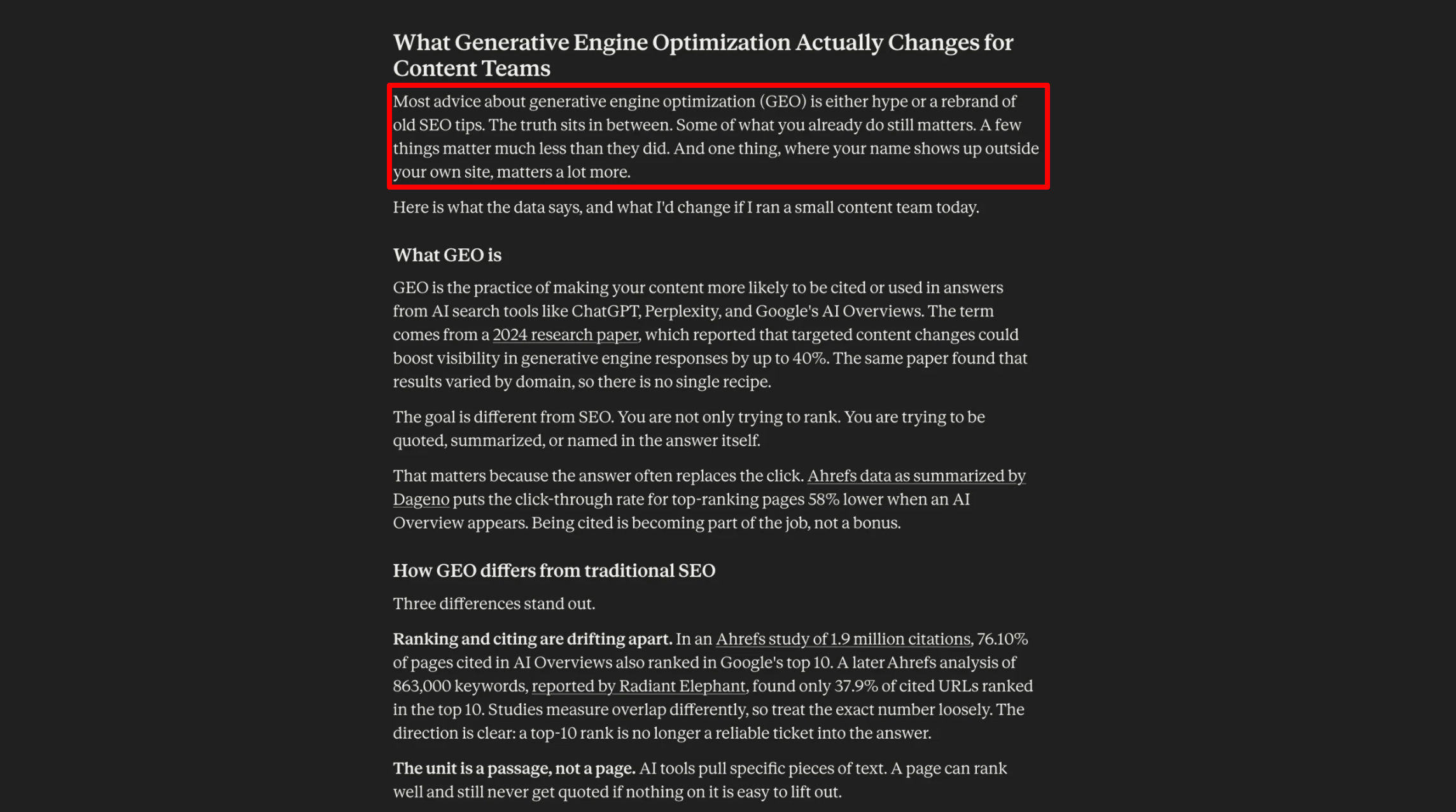
Here’s how it opened:
“Most advice about generative engine optimization (GEO) is either hype or a rebrand of old SEO tips. The truth sits in between. Some of what you already do still matters. A few things matter much less than they did. And one thing, where your name shows up outside your own site, matters a lot more.”
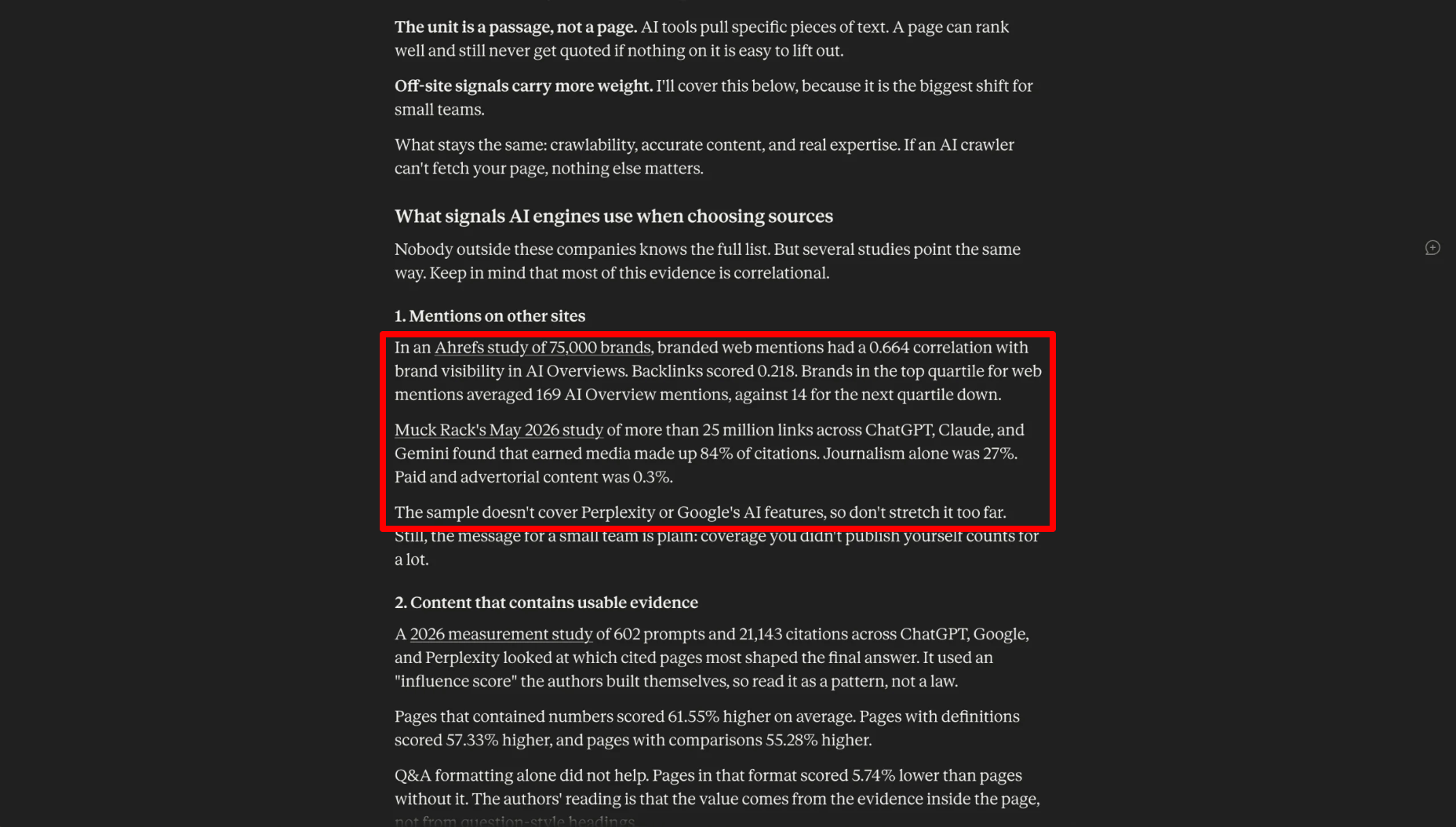
And here’s a section from the middle on what AI engines look for when choosing sources:
“In an Ahrefs study of 75,000 brands, branded web mentions had a 0.664 correlation with brand visibility in AI Overviews. Backlinks scored 0.218. Brands in the top quartile for web mentions averaged 169 AI Overview mentions, against 14 for the next quartile down.
Muck Rack’s May 2026 study of more than 25 million links across ChatGPT, Claude, and Gemini found that earned media made up 84% of citations… The sample doesn’t cover Perplexity or Google’s AI features, so don’t stretch it too far.”
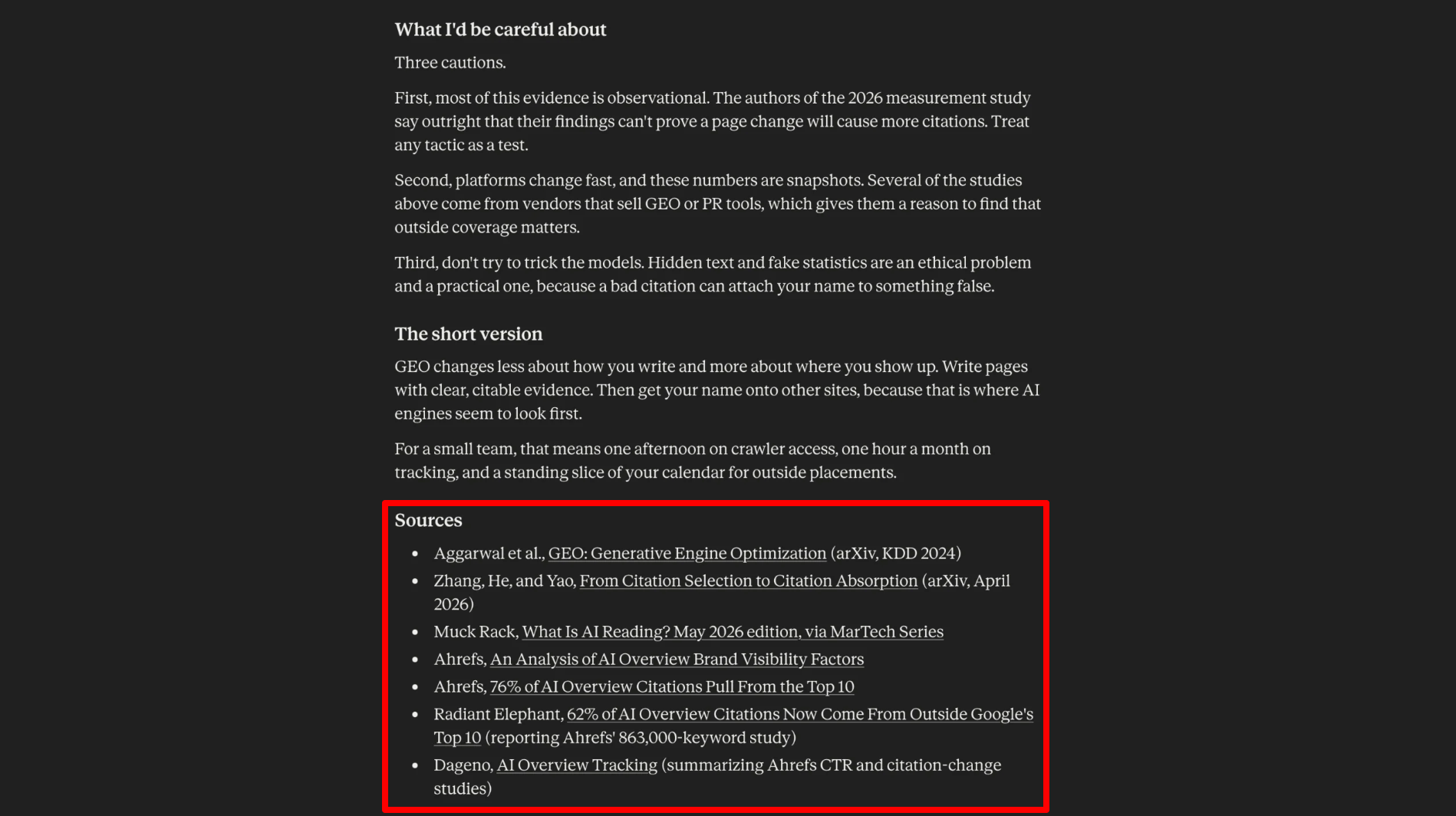
The article included around 20 statistics drawn from seven sources:
- Two arXiv research papers
- Two Ahrefs studies
- Muck Rack’s AI citation report
- Two secondary write-ups of Ahrefs data
Every number was attributed in the text with clickable course links and listed in the Sources section at the end.
I checked these statistics against its original source, and they all held up:
- The 40% visibility boost from the original GEO paper
- Ahrefs’ 0.664 vs. 0.218 correlations
- The 76% vs. 37.9% top-10 overlap
- Muck Rack’s 84% earned-media figure
I didn’t find a single invented number or fake source.
My Take
This is the best result I’ve had from this prompt, and the difference came down to sourcing.
Jasper gave me vague “lastname, year” citations with no links and ran 500 words over. Meanwhile, Writesonic produced a great structure but left many statistics with no source at all. Claude hit the word count almost exactly, and every statistical number I checked was real and said what Claude claimed.
With Claude, I was impressed by how carefully it judged the evidence. It noted that most research is correlational, that the two Ahrefs studies measured overlap differently, and that some studies came from companies selling GEO or PR tools. Overall, it felt more like a careful editor than an AI writer.
It also followed my project instructions closely. The paragraphs are short, the tone is straighforward, and it uses first person naturally (“Here is where I’d put limited hours”).
It wasn’t perfect, though:
- It sounds like a consultant rather than me. There’s no personal experience in it because it has none to draw on.
- Two of its seven sources were secondary write-ups of Ahrefs data (Dageno and Radiant Elephant) when the original Ahrefs studies were available. I’d swap those for the primary sources.
- The prompt asked for specific examples, but the only example it included is a hypothetical payroll software company.
Overall, I’d publish this after one editing pass: swap the two secondary sources, add a real example or two, and work in some of my own experience.
Test 2: A Cited Research Report on a Current Topic
For my next test, I started a new chat (not a Project) and turned on Research (if you can’t find it, it might be hidden in the “+” button).
Here’s what I asked Claude to do:
“Using Research, find out how AI search tools (ChatGPT, Gemini, Perplexity, and Google AI Overviews) decide which websites to cite in their answers. Summarize what each company has officially said, what independent studies have found in 2026, and where the evidence is weak or disputed. Cite every claim.”

Research took about 5 minutes and came back with a structured report:
- A short summary
- A TL;DR
- Three sections (what each company officially says, what 2026 studies found, and where the evidence is weak)
- Recommendations and a caveats note
It drew on around 30 named sources, and about half were official documentation: OpenAI’s Help Center and crawler docs, Google Search Central, Gemini Apps Help and API docs, and Perplexity’s help pages. The rest were independent studies from 2026, including three arXiv papers and research from Ahrefs, BrightEdge, seoClarity, and Green Flag Digital with clickable citations.

I also checked eight claims against their original sources:
- Google Search Central: The “query fan-out” quote and the rule that a page “must be indexed and eligible to be shown in Google Search with a snippet” are word-for-word.
- Perplexity Research: The “over 200 billion unique URLs” index, hybrid retrieval, and cross-encoder reranking all match.
- BrightEdge: The ~17% figure is correct.
- Grossman et al. (SIGIR 2026): 11,500 queries, AI Overviews on 51.5% of them, and source overlap below 0.2 are all correct.
- seoClarity: The US zero-citation rate doubling from 28% to 48% in March, then rebounding in May, is correct.
- Ahrefs schema study: −4.6%, +2.4%, and +2.2% are all correct.
- Green Flag Digital (September 2026): 107 of 215 pages (50%) at zero citations and the group keeping 14% of its citations are correct.
Every claim I checked was real and said what Claude claimed. The only slip I found was that the authors of one arXiv paper are listed by their first names (“Kai, Xinyue & Jingang” instead of Zhang, He, and Yao).
My Take
This is the kind of research that would normally take most of a day, and Claude did it in five minutes.
More importantly, it did exactly what I asked, which most AI research tools don’t. It kept what the companies officially say completely separate from what independent studies found, and it was honest about the gap. The opening line sets the tone: “None of the four companies has published how it weights the sources it cites.”
The standout for me was the “where the evidence is weak” section. Claude pointed out that the top-10 overlap figures range from 17% to 38% depending on who’s measuring. It noted that Ahrefs changed its own methodology between studies, so part of the “76% to 38% drop” may come from counting differently.
It also flagged that most large studies come from companies selling AI-visibility tools. And it called out popular claims, like Perplexity’s supposed “three-layer reranker,” that the companies have never confirmed.
It also stayed current. Most of the sources were from 2026, including a study published just two weeks before my test. I didn’t find any hallucinated sources. The slip I found was minor and easy to fix, but it’s still a reminder to click through before you quote anything.
The main drawback is that the report is dense. At this level of detail, it’s built for someone who needs to make decisions or write about the topic, not someone who wants a quick answer.
Test 3: Analyzing a Long Document
In this test, I uploaded the latest Stanford AI Index to Claude. The 425-page, 38 MB PDF uploaded without any problems.
What I asked it to do:
“Give me a one-page executive summary of this report. Then answer these five questions, with the page number for each answer:
- How much private AI investment did the United States see in 2025, and how did that compare with China?
- How many AI incidents were documented in 2025, and how many were there in 2024?
- Which three countries had the most AI data centers after the United States, and how many did each have?
- How many AI-related bills did U.S. state legislatures pass into law in 2025? Which state passed the most, and which two states have never passed one?
- How many weekly active users did Claude have in 2025?”
Claude posted short progress updates while it worked (“I have answers to Q1–Q4 with page numbers. I’m now searching the rest of the report for any Claude user figure”), then delivered an executive summary followed by the five answers.

The summary opened with one line, “AI capability and adoption are still accelerating. The systems and institutions around AI (safety measures, policy, education, talent) are not keeping up,” followed by eight short bullets on capability, US–China competition, investment, adoption, responsible AI, talent, science and medicine, and policy.
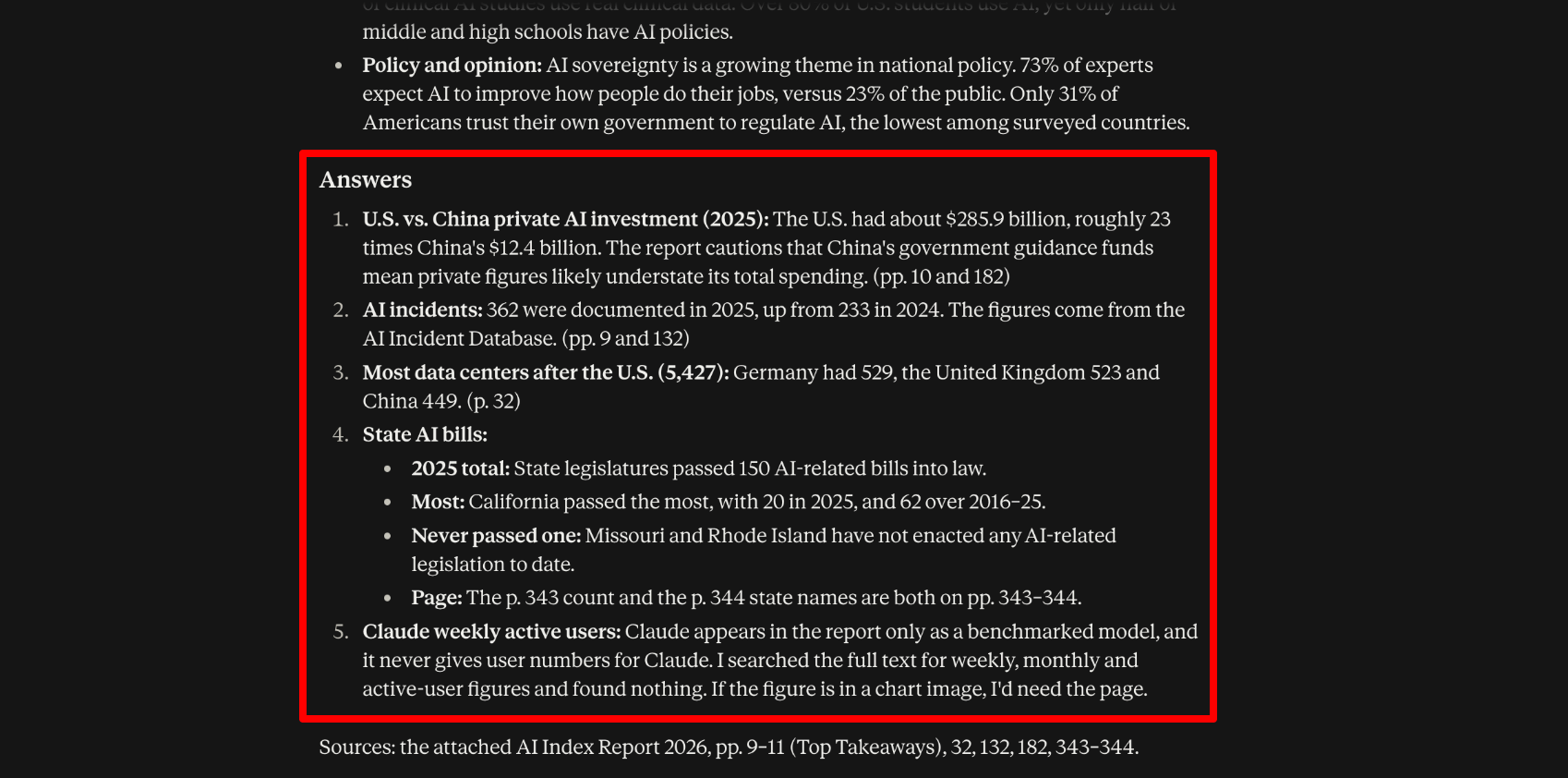
Here are its five answers, checked against the report:
| # | Question | Claude’s answer | Correct? |
|---|---|---|---|
| 1 | US vs. China private AI investment | $285.9B, about 23× China’s $12.4B, plus the report’s caveat that China’s government funds aren’t counted (pp. 10, 182) | ✅ Answer and pages |
| 2 | AI incidents | 362 in 2025, up from 233 in 2024, from the AI Incident Database (pp. 9, 132) | ✅ Answer and pages |
| 3 | Data centers after the US | Germany 529, UK 523, China 449 (p. 32) | ✅ Answer and page |
| 4 | State AI bills | 150 in 2025; California the most with 20 (and 62 since 2016); Missouri and Rhode Island have never passed one (pp. 343–344) | ✅ Answer and pages |
| 5 | Claude weekly active users | “The report has no Claude weekly active user figure, so I can’t answer question 5.” | ✅ Didn’t make anything up |
My Take
Claude got 5 out of 5 of the questions right, and every page number was right. The trap question was the one I cared about most.
Question 5 asked about Claude’s own user numbers, which it could easily have guessed or pulled from memory. Instead, it said that the report doesn’t include that figure. It explained that Claude only appears in the report as a benchmarked model, and said it had searched the full text for weekly, monthly, and active-user figures. That’s the exact behavior you want from a tool you’re trusting with a long document.
The page numbers impressed me even more. Claude cited the page numbers correctly throughout. And it even found the buried answer. The state-legislation figures sit around page 343 of 425, split across two pages, and Claude pulled the total, the top state, and both states with no AI laws without a problem.
The executive summary was accurate, and every figure I checked matched the report. The one weakness is that it leans heavily on the report’s own Top Takeaways (pages 9–11) rather than drawing new insights from the 400 pages behind them. It’s a reliable summary, but not a particularly original one.
For anyone who reads long reports, contracts, or research papers for work, this is where Claude earns its subscription.
Test 4: Turning a Messy Spreadsheet Into Charts and a Clean File
For my fourth test, I exported six months of daily organic traffic estimates for Unite.ai from Ahrefs. Ahrefs exports come out tidy, but the spreadsheets most people deal with don’t, so I deliberately messed it up without changing any of the actual values.

I mixed six different date formats, blanked out 13 cells, typed “n/a” into three others, stored some numbers as text with commas, added seven duplicate rows, shuffled a few rows out of order, and slipped in a repeated header row and a blank “TOTAL” row.
Then I uploaded the CSV to a new chat with Sonnet 5.5 and asked:
“This is an Ahrefs export of Unite.ai’s estimated organic search performance over the last six months. Clean this data, tell me the three most important trends, build two charts that show them, and give me the cleaned data back as an Excel file with a summary tab.”

About three minutes later, Claude handed back an Excel file with two tabs: a Summary tab with its three trends, two charts, and a key-figures table, and a Clean Data tab with all 184 days in order.
It also explained exactly what it cleaned, and the list matched the mess I’d created almost item for item:
- It went from 194 raw rows to 184 daily rows, with no missing dates.
- It removed the repeated header row, the TOTAL row, the blank row, and all seven duplicates, listing each duplicate by date.
- It converted all six date formats into one real date column, and turned text-formatted numbers like “25,327” back into true numbers.
- It found all 16 missing readings (7 pages and 9 traffic, counting the three “n/a” cells), left them blank, and shaded them amber instead of guessing what they should be.

Its three trends:
- Traffic surged about 6x, in steps rather than a smooth climb. It went from a roughly 17k baseline (April to July) to an average of about 105k over the last two weeks, peaking at 160,653 on October 3.
- The page count fell 40%, then rebounded to a new high. It dropped from 2,561 to a trough of 1,536 on August 14, then climbed to 2,948 by October 7, with most of that rebound coming in the final two weeks.
- Traffic and pages were decoupled, and now move together. It called a new batch of ranking pages “a plausible driver” of the surge, but said that’s “a hypothesis to check in Search Console, not something this data proves.”
Both charts are native Excel line charts rather than pasted images, so I could restyle them. Also, their titles state the takeaway (“Organic pages: 40% dip, then rebound past the starting level”).
My Take
Every value of all 184 days in Claude’s cleaned file matched the original Ahrefs export. It caught every duplicate, every junk row, and every blank, and it left the missing values blank rather than inventing numbers to fill the gaps. That last part matters the most, because a tool that “fixes” missing data without telling you can wreck an analysis without you knowing.
The only nuance is that its “last 14 days” average (about 105k) is higher than the true figure (about 100k), because one of the blanks I added fell on a high-traffic day. Claude flagged that its averages ignore blank readings, so the difference is disclosed rather than hidden.
The charts were ready for presentation as delivered. I wouldn’t change anything before putting them in a deck.
My only critique is that trend three (the correlation) is the most interesting finding but the hardest to see, because Claude chose two separate charts instead of one combined view. It explained why the two metrics are on very different scales, and it’s a fair call. But a non-analyst might miss the point without reading the text.
For anyone who’d otherwise reach for dedicated AI tools for data analysts, this result is hard to argue with. It’s the kind of cleanup and first-pass analysis that would normally take me an hour or more in a spreadsheet, and Claude did it in three minutes.
Test 5: Building a Presentation From the Test 1 Article
In the same chat where Claude wrote my GEO article in Test 1, I asked:
“Turn the GEO article above into a 10-slide presentation for a 15-minute team meeting. Include a title slide, one chart or diagram, and speaker notes. Keep text short.”
A couple of minutes later, Claude built a 10-slide deck called “What GEO actually changes for content teams.” I exported it to PowerPoint and opened it in Keynote without any problems.

Here’s how it structured the meeting:
- Title slide with a one-line framing: “Where to spend limited hours when AI answers replace the click”
- What GEO is, with the 40% visibility figure as a callout
- Why it matters now: the 58% drop in click-through when an AI Overview appears
- SEO and GEO side by side, as a comparison table

- Top-10 rankings vs. AI citations, a bar chart comparing the two Ahrefs studies (76.1% vs. 37.9%)
- Signal one: mentions on other sites (0.664 correlation, 84% earned media, 0.3% paid)
- Signal two: evidence on the page (+61.55% for numbers, −5.74% for Q&A format)

- The next 30 days: five numbered action steps
- Limits of the evidence: correlation, vendor data, and how fast citations change
- Three things to remember, ending on a discussion question for the team
Everything survived the export. All 10 slides were there, every piece of text was editable, the layout and fonts didn’t shift, and the speaker notes came through on every slide. Each slide also has a small source line at the bottom, with links back to the studies the numbers came from.
My Take
The presentation deck was perfect and I wouldn’t change anything before presenting it.
What impressed me most was the speaker notes. They’re written to be spoken, not read off the slide, and each one starts with a time estimate (“About 1 minute 30 seconds”). The estimates add up to about 15 minutes, exactly the meeting length I asked for. The note on the action-steps slide even says, “This is the core of the meeting, so slow down.”
The numbers carried over accurately. Every statistic on the slides matches the article from Test 1, and Claude kept the caveats too: the chart slide notes that the two Ahrefs studies “measure overlap differently,” and there’s a whole slide on the limits of the evidence.
Claude can’t generate images, and it didn’t try to work around that with stock photos. Instead, the deck relies on design: big statistic callouts, a comparison table, a bar chart, numbered steps, and a consistent navy, orange, and cream color scheme. It looks clean and professional, but if you want photos or illustrations you’ll need to add them yourself.
A couple of things to know:
- The “chart” on slide 5 is built from editable shapes rather than a native PowerPoint chart. You can recolor it or change the labels, but if you change the numbers, you’ll have to resize the bars by hand.
- It carried over the article’s sources as-is, including the two secondary write-ups I flagged in Test 1. Fix the sources in the article first, and the deck inherits the fix.
The biggest advantage over a standalone AI presentation generator is where the content comes from. Claude built this deck from an article it had already researched and sourced in the same conversation, so the slides were accurate before I touched them. A separate slide tool would have needed me to paste the article in and then check every number again.
Test 6: Building a Small Interactive Tool
In a new chat with Sonnet 5.5, I asked:
“Build a simple web app where I can enter my monthly budget and the AI tools I’m considering (name, monthly price, and what I’d use it for). It should show my total spend, flag overlapping tools, and let me toggle tools on and off. Make it look clean and work on mobile.”

About a minute and a half later, Claude had built a working app called “Stack Check,” right in the conversation. There was no code to copy, nothing to install, and no hosting to set up. It worked on the first try.
It came with more than I asked for: a budget meter that turns red when you go over, monthly and annual totals, and even an “Undo” button when you remove a tool. It even loaded a few example tools so the page wasn’t empty with a button to clear them.
To check it properly, I set a $60 monthly budget and entered five tools:
- ChatGPT Plus: $20 (writing)
- Claude Pro: $20 (writing)
- Google AI Pro: $19.99 (writing)
- Perplexity Pro: $20 (research)
- ElevenLabs Starter: $6 (voiceovers)
Here’s how it did:
- Total spend: It showed $85.99 and warned that I was $25.99 over budget.
- Toggles: When I switched off ChatGPT Plus and Google AI Pro, the total dropped to $46.00 and the warning changed to $14.00 under budget.
- Overlaps: Partly. It flagged ChatGPT Plus and Claude Pro as overlapping and suggested that keeping only one would save $20 a month. It didn’t flag Google AI Pro, even though I’d planned to use it for the same thing.
The overlap miss comes down to a design choice.
Instead of a text box for “what I’d use it for,” Claude built a dropdown with nine categories (“General chat and assistant,” “Writing and editing,” “Research and search,” and so on), and it only flags tools in the same category. ChatGPT and Claude landed in one category (general chat and assistant) and Google AI Pro in another (writing and editing), so it never compared them.
A dropdown makes the matching reliable, but it means overlaps depend on how you label each tool, not on what the tools actually do.
On my phone, the layout switched to a single column, and everything was easy to tap and read. Refreshing the page kept all my data.
Finally, I asked Claude to “add a yearly total and let me sort tools by price.” It updated the app in one go: every tool now shows its yearly cost, and a “Sort by” menu reorders the list from high to low or low to high. Nothing that already worked broke.
My Take
A non-developer could use this tool immediately. I typed one paragraph, and 90 seconds later I had a functional, professional app with a gret design and shareable link. It took no bug fixes and one follow-up to add features.
However, it’s not perfect. The overlap check is only as smart as the category you pick, so it missed one of my three writing tools. The saved data also lives in your own browser. So it survives a refresh, but it won’t follow you from your laptop to your phone. Anyone you share the link with starts with a fresh copy.
Results & Output Quality
- Writing quality: Test 1’s article landed at 1,232 words against my 1,200-word target, with short paragraphs just as my project instructions asked. However, it read more like a knowledgeable consultant than like me, so it would need one editing pass to add my own experience and a couple of real examples.
- Accuracy: Claude got all of the answers right in the PDF test, with every page number and source correct. Across six tests, I didn’t find a single invented statistic or fake source, and it refused to make up an answer the PDF didn’t contain.
- Professionalism of files: The Excel file and the PowerPoint deck both opened cleanly, had editable text, native charts, and speaker notes in the deck. I’d have sent either one to a client without reformatting.
- Consistency: Quality held up across follow-ups. The deck in Test 5 carried every statistic and caveat over from the Test 1 article, and adding features to the app in Test 6 didn’t break anything that already worked.
- Speed: Research took 5 minutes, the spreadsheet cleanup about 3 minutes, the slide deck a few minutes, and the web app 90 seconds. Each of those would have taken me hours by hand.
- Usage limits: I didn’t hit a usage limit across six tests on the Pro plan using Sonnet 5.5, though heavier users of Opus and long files report hitting them.
- Editing required: Light polish at most. The deck, spreadsheet, and app were usable as delivered, and the article and research report needed only source swaps and a couple of small corrections.
- Where it fell short: The article leaned on two secondary sources and a hypothetical example instead of real ones. The app’s overlap check missed one of three overlapping tools because of how it grouped categories. And because Claude can’t generate images, the deck had no photos or illustrations, so you’d need another tool for visuals.
Top 3 Claude AI Alternatives
Here are the best Claude AI alternatives I’ve tried that I’d recommend.
ChatGPT
ChatGPT is the closest all-round competitor to Claude, and it ranks first on our best AI assistants list for its breadth.
The biggest practical difference between Claude and ChatGPT is visuals. ChatGPT generates excellent images (even on the free plan), while Claude can’t produce a single photo. If your work regularly needs hero images or social graphics created from scratch, ChatGPT covers that.
ChatGPT also has a cheaper entry point. Its Go plan costs about $8/month, while Plus (its higher tier) matches Claude Pro at $20. Claude’s edge is in finished documents and long-context work.
Choose ChatGPT if you want one assistant for text and images at a lower starting price. Otherwise, choose Claude if writing quality and document, deck, and spreadsheet output matter more to you.
Google Gemini
Gemini’s biggest advantage is where it lives. It’s built into Gmail, Docs, Drive, and Chrome, so if your work already happens in Google Workspace, Gemini can draft in the document you have open already. Claude can reach those apps through connectors, but it’s an extra setup step.
Gemini also covers more media. Even the free plan includes image generation and editing, and paid plans add video generation. Pricing is also flexible, with an affordable entry point compared to Claude. Where Claude pulls ahead is thoughtful long-form writing and following detailed instructions.
Choose Gemini if you live in Google’s ecosystem and want images, video, and storage in one plan. Otherwise, choose Claude for writing exportable work with little editing.
Perplexity
Perplexity is an AI search engine built for one job: answering questions with sources. Every answer comes with inline citations, so it’s faster than Claude when you just need a current fact checked and want to click straight through to the source.
Claude has caught up on research with its own Research mode, but the two produce different things. Perplexity quickly gives you cited answers and summaries. Claude is better at taking research and turning it into something finished, like a report, a deck, or a spreadsheet.
Pricing lines up at the paid tier: Perplexity Pro is $20/month (same as Claude Pro), and Max is $200/month. Perplexity also includes image generation on Pro, which Claude doesn’t offer.
Choose Perplexity if your main use is research and fact-checking with sources. Otherwise, choose Claude if you need to turn that research into finished work.
Read my Perplexity AI review or visit Perplexity!
Claude AI Review: The Right Tool For You?
What I liked most about Claude is how often it delivered finished work instead of just giving me text to work with. Across all of my tests, it produced a strong article, accurate research report, clean Excel file, presentation I could use requiring no edits, and a functioning web app with very little editing.
What I wasn’t a huge fan of was that it still can’t generate images, and the overlap checker from the app I built missed one of the tools I expected it to flag. Overall, Claude performed best on long-form writing, research, and working with large amounts of data. I was genuinely impressed by how consistently it avoided making things up.
I’d recommend Claude to anyone who wants AI to create finished work (like documents, decks, and spreadsheets) instead of just generating text. At $20/month, Pro is worth it based on what I got out of it, especially if you regularly work with long documents or need ready-to-use files.
But if Claude doesn’t sound like the right fit, consider these alternatives:
- ChatGPT is best if you want text, images, and voice in one assistant.
- Google Gemini is best for Google Workspace users who want images, video, and cloud storage built in.
- Perplexity is best for fast cited research and fact-checking.
Thanks for reading my Claude AI review! I hope you found it helpful. If you want to try Claude AI for yourself, sign up for free and see what it can build for you.
Frequently Asked Questions
Is Claude AI free?
Yes. Claude’s free plan includes the Sonnet and Haiku models, web search, memory, file creation, code execution, app connectors, and artifacts. Research, Projects, Claude Code, Docs, Slides, and Design require a paid plan.
Is Claude better than ChatGPT?
It depends on what you need. In general, Claude is more widely preferred for writing quality, working with long documents, and generating solid documents, decks, and spreadsheets. Meanwhile, ChatGPT covers more media. It’s great at image and video generation, and has a more affordable entry point.
Can Claude AI generate images?
No. Claude can’t create photos or illustrations from a prompt. It can analyze images you upload, build diagrams and charts, and create layouts in Claude Design, but you’ll need a separate image generator for original artwork.
Is Claude AI worth it?
If you want AI that produces well-written work, Claude Pro at $20/month is worth trying, and the free plan is good enough to test it first. If you need image generation or rarely use AI more than a few times a week, ChatGPT, Gemini, or the free plan may be enough.




