
Head-to-Head
Miro vs. Notion: Which Is Better for Team Collaboration?

 Add Unite.AI to your preferred sources on Google
Unite.AI may receive compensation when you use links to products we review. This does not influence our editorial evaluations. Read our affiliate disclosure.

Key PointsMiro suits visual discovery while Notion preserves decisions and plans after the…
View more
- Miro suits visual discovery while Notion preserves decisions and plans after the meeting ends.
- Notion is the stronger default for a lasting team workspace and ongoing documentation.
- Miro earns its cost through better workshops while Notion earns it through reliable findability.
A team can leave a workshop with a wall full of ideas and still have no usable record of what it decided. Miro and Notion help at different points in that journey. Miro is our choice for visual thinking and facilitated collaboration. Notion is our recommendation for keeping decisions, documents, and ongoing plans useful after the meeting.
Both feature in our best AI collaboration tools guide. The important choice is whether your team needs a shared canvas to develop its thinking or a structured workspace to preserve and use it.
Quick Verdict
- Choose Miro for workshops, diagrams, and visual discovery. It gives people room to map relationships, compare ideas, and build a shared picture.
- Choose Notion for a team wiki and document-led planning. Pages and databases make the explanation behind the work easy to organize alongside the work itself.
Miro vs. Notion at a Glance
| What matters | Miro | Notion |
|---|---|---|
| Run a workshop | Timer, voting, private mode on Starter | Collaborative pages and templates |
| Map a process | Dedicated diagramming canvas | Written steps and linked pages |
| Organize decisions | Spatial boards, Docs, Tables | Wiki pages and connected databases |
| Turn notes into output | Cluster stickies; generate diagrams | Draft pages; update databases |
| Track ongoing work | Tables, timelines, Kanban | Tasks, dependencies, timelines |
| Free-plan constraint | 3 editable boards | Limited blocks for teams of 2+ |
Miro: Better for Thinking Together Visually
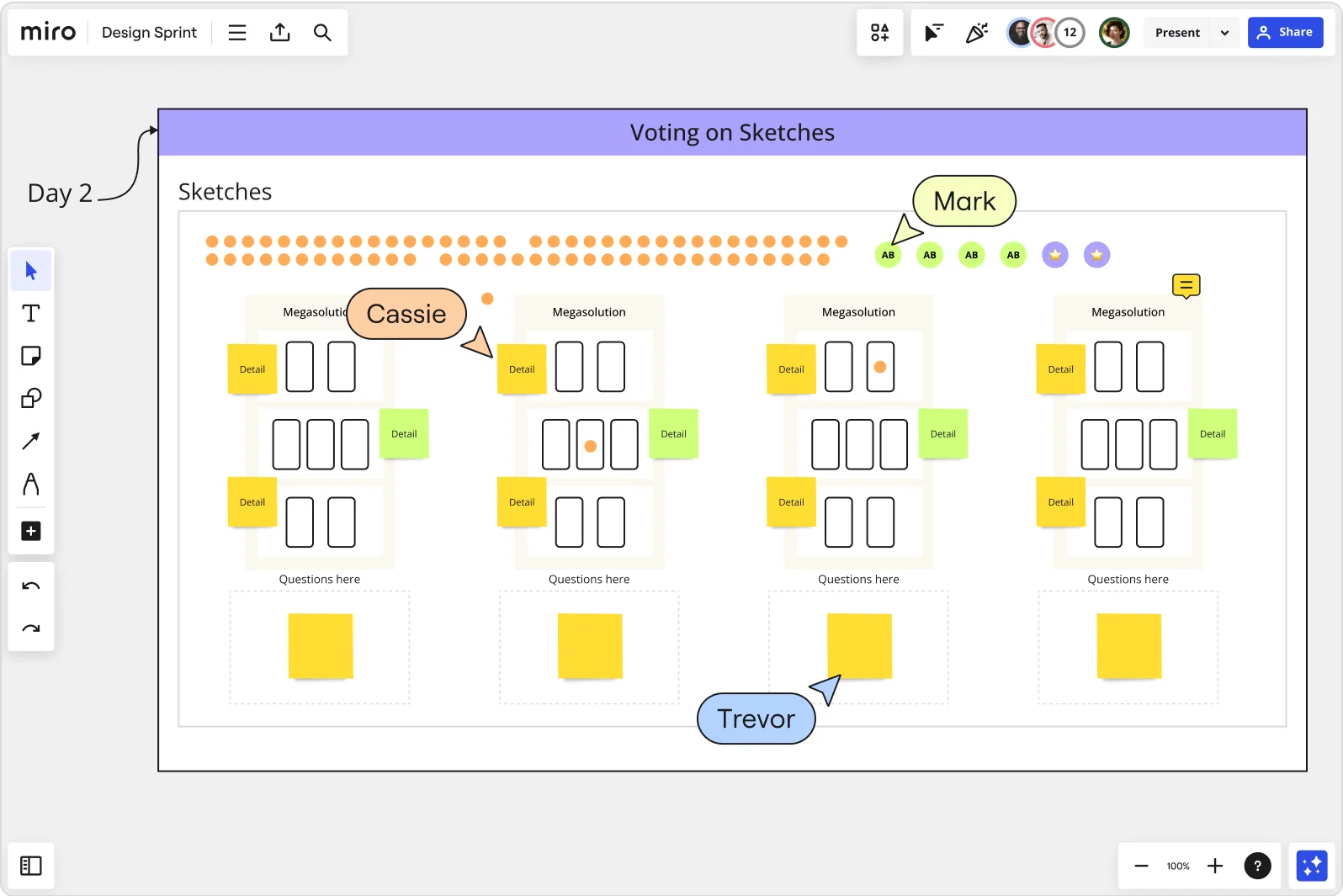
Miro gives a group a shared surface on which to make a problem visible. A customer journey can sit beside research notes, a process map, and competing proposals. The arrangement matters: colleagues can see relationships that would be harder to follow across separate documents. That makes Miro especially useful before the answer is settled.
Its diagramming tools support flowcharts and technical diagrams, while presentation and facilitation features help a group work through material together. Miro also includes Docs, Tables, timelines, and Kanban formats on the canvas. It can carry a workshop into a plan without requiring every result to be exported immediately.
Official Miro guide to using its AI canvas.
We recommend Miro for product discovery, design workshops, process improvement, and technical discussions where seeing the system helps people understand it. The tradeoff is the freedom of the canvas. A sprawling board needs clear frames, ownership, and a useful conclusion; otherwise colleagues return to a large collection of objects without knowing where to start.
Notion: Better for the Knowledge a Team Keeps Using

Notion starts with a page rather than a canvas. That page can hold a proposal, a decision, an onboarding guide, or a database view showing the tasks connected to it. The result suits work that people need to read, update, and find again. A well-maintained product brief stays useful long after the discussion that created it.
The strength is the connection between explanation and structure. A research database can link to a roadmap; a roadmap item can link to its specification and meeting notes. Notion’s wiki tools add a stronger home for shared knowledge, including page ownership and verification. Its project features also include subtasks, dependencies, and timelines.
Official Notion introduction to projects and tasks.
We prefer Notion for a company handbook, an editorial operation, or a product team that wants its reasoning beside its plan. Someone still needs to maintain the organization. Its flexible pages work best when there is an agreed home for important information and a clear owner for keeping it reliable.
A Practical Example: Redesign Customer Onboarding
Consider a product team trying to improve its first-week customer experience. It has interview notes, a rough journey map, several proposed changes, and a deadline for choosing what to build. Here is how we would use each tool for the same project.
1. Make the Problem Visible
Our choice: Miro. Arrange the customer journey, interview observations, and friction points on one board. Keep the original notes beside the proposed themes so colleagues can inspect the evidence behind a suggestion. This is a stronger working surface when the group needs to move ideas around, spot relationships, and compare alternatives together.
In Notion, we would organize the interview notes in a research database and write a synthesis page. That is a good fit for an asynchronous review, especially when colleagues primarily need to read the findings rather than rearrange them in a workshop.
2. Turn the Decision Into a Maintained Plan
Our choice: Notion. Give the agreed change a brief containing the customer problem, selected approach, evidence, and owner. Link it to tasks with a status and deadline. A new collaborator should be able to understand both what the team chose and why it chose it.
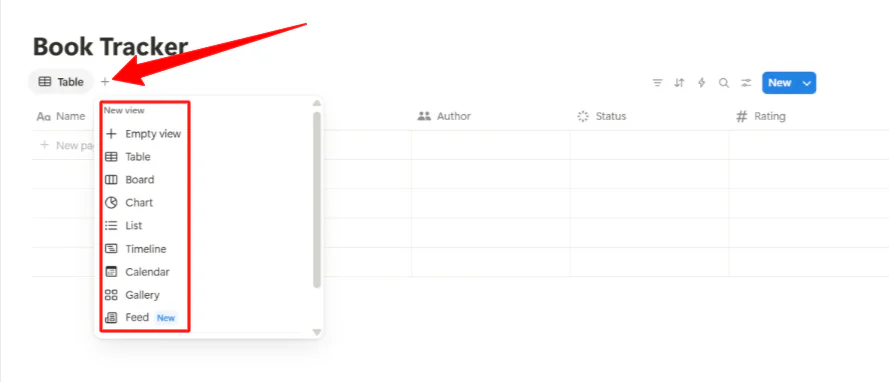
Miro can also keep the plan on its canvas using Docs, Tables, and timelines. We would stay there when the map remains the team’s main working surface. We would prefer Notion when the result becomes an ongoing specification, operating guide, or searchable record that colleagues maintain between meetings.
3. Make the Handoff Clear
If the team uses both products, put the exploration in Miro and the approved brief in Notion. Link the board from the brief, name the decision owner, and agree which task list is authoritative. The benefit comes from preserving the thinking without maintaining two competing versions of the delivery plan.
Workshops and Diagrams: Miro Is the Stronger Choice
For a service-design workshop, a visual map lets participants place observations beside the stage of the customer experience they describe. They can group related problems, trace dependencies, and vote on priorities. Miro’s Starter plan includes a timer, voting, and private mode, which are useful tools for running that session rather than merely recording its notes.
Notion is better suited to the brief before the session and the agreed decisions afterward. It can host collaborative notes and embed supporting material, but we would choose Miro when the exercise depends on arranging, connecting, and discussing objects across an open surface.
Knowledge and Follow-Through: Notion Has the Advantage
A workshop output becomes more valuable when it has an owner, a next action, and a dependable home. Notion makes that transition natural: a decision can become a page with context, linked tasks, and a place for later revisions. Database views help people see the part of the plan relevant to them.
Miro’s Tables and Docs make it a more capable ongoing workspace than a simple whiteboard. We would keep a visually complex roadmap there when the surrounding maps remain essential. For policies, research libraries, and specifications that colleagues primarily read and search, Notion is our clearer recommendation.
AI: Board Synthesis Versus Workspace Knowledge
Miro’s Create with AI tools can use selected board content to generate output, turn sticky notes into a document, and group notes by keyword or sentiment. This is useful after a workshop: a facilitator can turn a crowded board into an initial summary while preserving the visual material that produced it.
That context has boundaries. Miro’s AI overview explains that canvas-visible material is central to its processing. An embedded tool does not automatically give the assistant unrestricted access to everything behind it. Miro AI also uses credits, with consumption depending on the feature.
Notion AI is the better fit when the useful context lives in pages and databases. Its agent can help create and edit that workspace, while search and meeting notes support finding information and capturing discussion. We recommend Miro for synthesizing visual discovery and Notion for producing work from maintained team knowledge.
What Should the AI Produce?
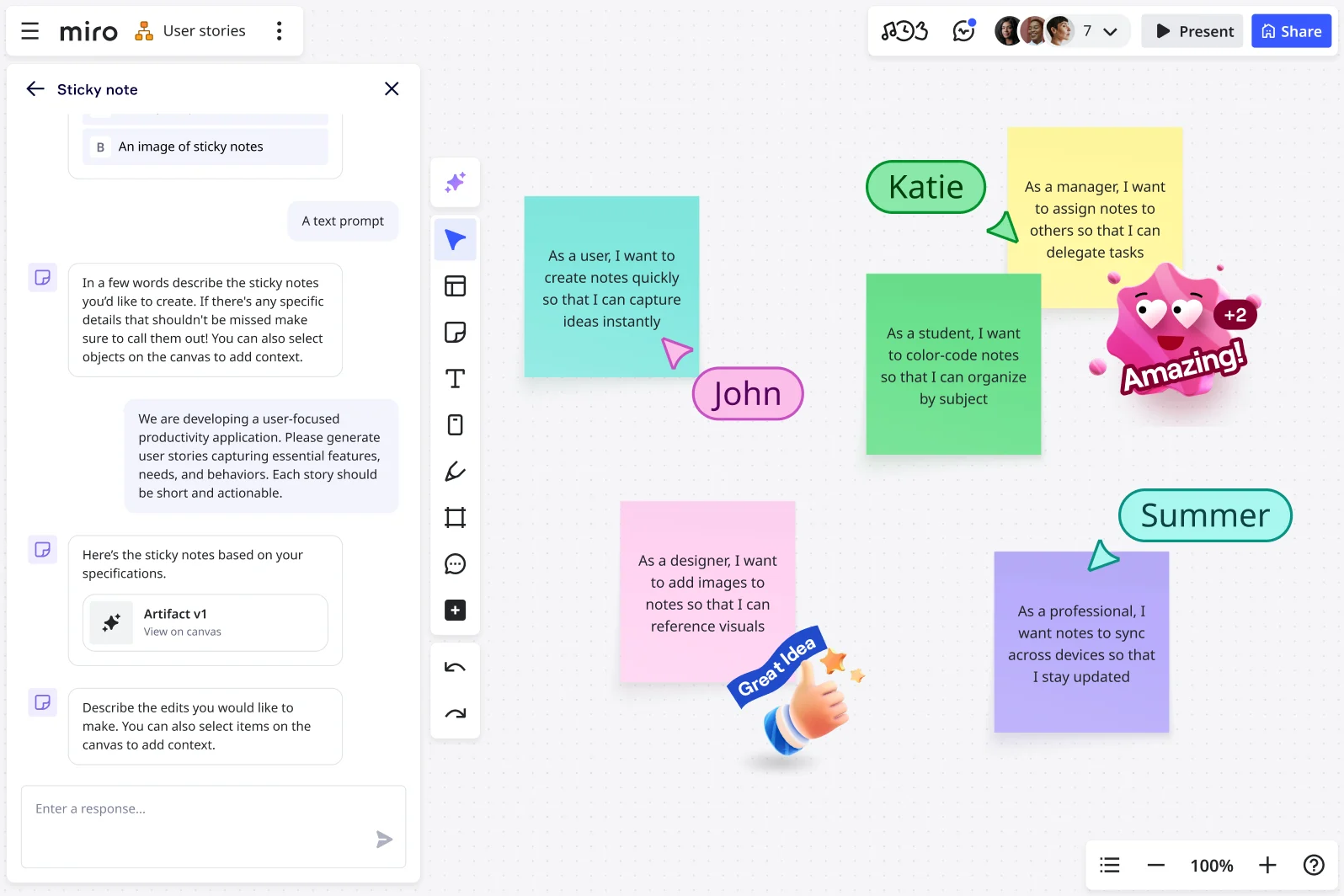
In Miro, we would select the onboarding observations and ask for a summary of the main friction points, with related notes grouped into themes. The useful result is a clearer discussion surface: the facilitator can see which observations support each theme and whether an important exception has been lost in the grouping.
In Notion, the next request would be: “Draft an onboarding improvement brief using these research pages, link the evidence, and organize the agreed actions in our task database.” Its agent can create and edit pages and databases within the user’s access. That is the more useful direction when the output should become maintained documentation and structured follow-through.
Our preference is Miro for making sense of workshop material and Notion for turning maintained knowledge into a reusable work product. Neither output establishes that a proposed improvement will help customers; the team still owns the decision and the implementation.
Pricing: The Plans Solve Different Problems
| Plan level | Miro | Notion |
|---|---|---|
| Free | $0 | $0 |
| Entry paid | Starter: $8 per member | Plus: $10 per member |
| Business | $20 per member | $20 per member |
| Enterprise | Custom pricing | Custom pricing |
These are USD monthly equivalents with annual billing from Miro’s pricing page and Notion’s pricing page. Miro Free allows three editable boards; Starter adds unlimited private boards. Business adds signed-in guest collaboration and more advanced planning and visual features.
Notion Free is useful for personal organization, but collaborative blocks are limited for workspaces with two or more members. Plus expands the shared workspace; Business is the more relevant tier for the included AI capabilities discussed here. Notion’s AI allowance rules distinguish Standard and Select usage, with optional additional workspace credits. An AI-enabled subscription does not mean every type of usage is unlimited.
Miro earns its subscription when better workshops and clearer maps improve decisions. Notion earns it when it becomes the place colleagues reliably find the context they need. Buying both can be sensible for a discovery-heavy product team, provided the final decision and its owner have one agreed home.
What a Ten-Person Team Would Pay
For ten paid members on annual billing, Miro Starter is $960 a year at $8 per member per month. Notion Plus is $1,200 a year at $10. These are useful entry paid plans, but they do not include the same capabilities.
For the Business-level AI workflows discussed here, both products list $20 per member per month with annual billing: $2,400 a year for ten paid members. Miro Business includes 50 AI credits per member each month, compared with 25 on Starter. Notion uses its own Standard and Select allowance model. These units are not interchangeable, and extra usage can increase either budget. Totals exclude tax and optional paid extras.
Which One Do We Recommend?
Miro is our recommendation when collaboration means developing a shared understanding visually. It is the stronger specialist for workshops, process maps, and early product thinking.
Notion is our default choice for a lasting team workspace. It provides a more natural home for the documents, decisions, and linked plans that people need between meetings. For most teams choosing only one system of record, that ongoing usefulness gives Notion the edge.
Frequently Asked Questions
Can Miro replace a company wiki?
Miro can hold documents and organized information, but we recommend Notion for a wiki that colleagues primarily read, search, and maintain over time. Miro is stronger when the relationships on the canvas are the main value.
Can Notion replace Miro for workshops?
Notion works well for agendas and collaborative notes. For sessions built around visual mapping, grouped sticky notes, and facilitated activities, Miro is our preferred tool.
Sources
This comparison uses official product, pricing, and help documentation. Recommendations reflect documented capabilities and workflow fit.
Additional product context comes from Miro AI and Notion AI documentation. The references below cover feature and pricing details.
Miro official references: diagramming tools, Create with AI tools, AI overview, Miro’s pricing page.
Notion official references: wiki tools, project features, Notion AI, Notion’s pricing page, AI allowance rules.
Screenshot credits: Miro’s official brainstorming examples and images from Unite.ai’s Notion review. They illustrate interface structure; the onboarding workflow and prompts are editorial examples rather than a new hands-on benchmark. Notion’s Agent guide explains page/database actions and permissions.


