Best Of
10 Best AI Cartoonizer Tools (August 2026)

 Add Unite.AI to your preferred sources on Google
Unite.AI may receive compensation when you use links to products we review. This does not influence our editorial evaluations. Read our affiliate disclosure.
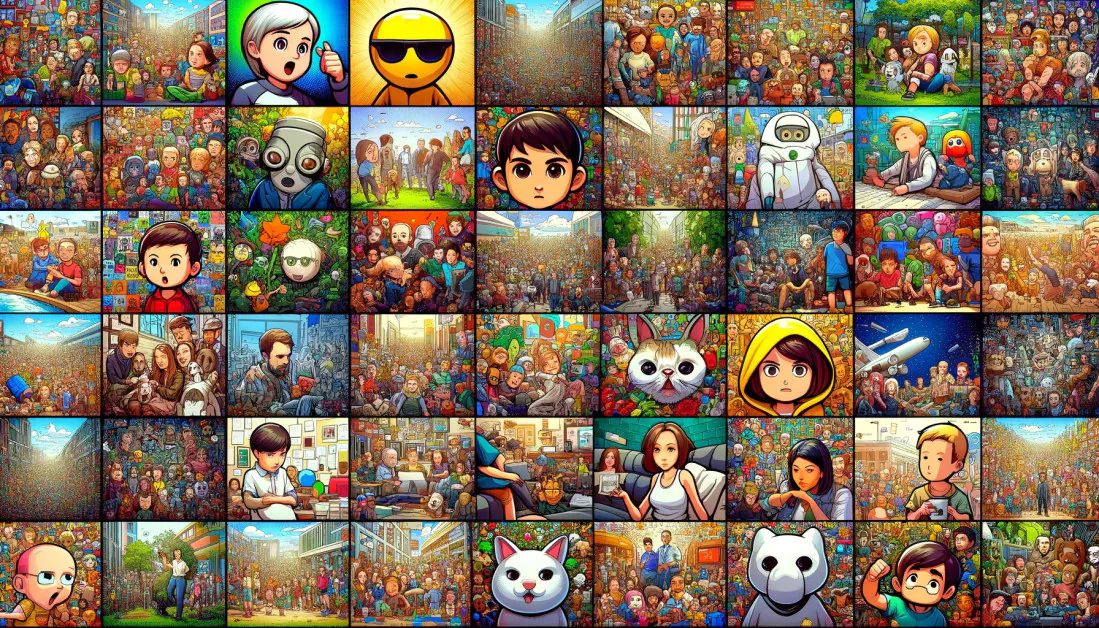
AI cartoonizers now range from one-click portrait filters to full creative platforms that generate characters from text, build comics, and animate still images. The right tool depends on whether you want a recognizable selfie, an original character, a complete design, or a cartoon asset that will continue into video.
We checked every product’s current official site, corrected Vidnoz’s moved cartoonizer URL, and consolidated the duplicated product list that previously appeared twice in this article. When testing any cartoonizer, use a clear source image, compare several styles, inspect hands, facial details, text, and backgrounds, and confirm usage rights before publishing client or branded work.
Comparison Table of Best AI Cartoonizer Tools
| AI Tool | Best For | Features |
|---|---|---|
| Fotor | Broad photo-to-cartoon styling with a full editor | 54+ styles, text and photo inputs, avatars, high-resolution output, video workflows |
| FlexClip | Cartoon images that feed directly into video projects | Photo and text generation, 40+ filters, browser editor, video templates, voice and motion tools |
| BasedLabs | Original anime characters and stylized concept development | Prompted anime art, character sheets, seed locking, high-resolution PNG, linked image and video tools |
| Colorcinch | Simple browser cartoon effects with manual editing controls | One-click cartoonizer, artistic effects, layers, drawing, graphics, color tools, print-ready export |
| Canva | Cartoon images inside a complete design workflow | Cartoonify, Canva Apps, text and graphics, templates, collaboration, multi-format publishing |
| insMind | Cartoon avatars, characters, and short-form visual content | Text and photo inputs, multiple styles, avatars, comics, image editing, cartoon video |
| MyEdit | Large style library for browser-based portrait restyling | 200+ AI filter looks, portraits and pets, high-definition output, photo editing and enhancement |
| VanceAI Toongineer | Structure-preserving cartoonization across varied subjects | Diffusion and AnimeGANv2, multiple styles, face preservation, pets and products, enhancement tools |
| Vidnoz AI | Fast batches of cartoon portraits in a simple browser tool | Four outputs, daily generation, cartoon and anime portraits, quick download, video handoff |
| ToonMe | Fast mobile-first cartoon selfies and vector portraits | AI portraits, vector looks, dozens of styles, apps, community effects, social sharing |
10 Best AI Cartoonizer Tools
1. Fotor
Fotor offers one of the widest dedicated cartoon-style libraries in this group. Users can upload portraits, pets, landscapes, or other scenes and apply more than 54 looks, including anime, comic, clay, vector, caricature, toy, and 3D-inspired treatments while keeping recognizable facial structure.
The same platform can generate cartoon art from text, create avatars and characters, and continue into background editing, retouching, typography, stickers, and design templates. Separate cartoon-video workflows make Fotor useful when a still image is only the first asset in a broader content project.
Pros and Cons
- Very broad style selection
- Handles more than just portrait photos
- Strong all-in-one editing and design environment
- Useful for both quick transformations and longer creative workflows
- The large tool library can feel busy for a single conversion
- Results vary with image quality and style choice
- Highly stylized outputs may need another pass to preserve small details
2. FlexClip
FlexClip turns portraits, pets, family photos, and other images into cartoon artwork in the browser. Its image-to-image system includes cartoon, anime, caricature, clay, painting, sketch, and related visual treatments, while text prompts can create original characters and scenes.
Its main advantage is the surrounding video environment. A cartoon image can move directly into templates, animation, voiceover, captions, music, and social-video editing without leaving FlexClip. That makes the tool a practical choice for creators who want to transform a picture and then publish it as motion content.
Pros and Cons
- Easy transition from cartoon stills to finished videos
- Wide visual-style coverage
- No desktop installation required
- Accessible to users without illustration or timeline-editing experience
- Cartoon controls are simpler than a specialist illustration application
- Video projects can add workflow complexity when only a still is needed
- Fine facial details can shift across stronger styles
3. BasedLabs
BasedLabs is geared toward generating original anime artwork from text rather than applying a single filter to a selfie. Prompts can specify a character’s pose, outfit, emotion, lighting, and background, making it useful for profile images, posters, character sheets, thumbnails, and early concept work.
Linked tools can refine colors, turn photos into anime, create profile pictures, or move a still into an anime-video workflow. Seed locking helps preserve facial structure across variations, which is valuable when developing the same character in multiple costumes, poses, or scenes.
Pros and Cons
- More creative control than a fixed one-click filter
- Well suited to original characters and concept art
- Linked tools support a full still-to-motion workflow
- Identity controls help with character variations
- Strong prompts are important for reliable results
- Multi-character scenes can be less consistent than single subjects
- Anime specialization makes it less suitable for neutral photo editing
4. Colorcinch
Colorcinch, hosted at Cartoonize.net, combines one-click cartoon and artistic effects with a conventional browser photo editor. It is a good fit for users who want a quick stylized result but still need control over exposure, color, sharpness, crop, rotation, and other standard adjustments.
The editor adds layers, brushes, text, overlays, masks, icons, shapes, collages, and meme tools. Projects can be exported as common image or document formats at print-oriented resolution, so the result can be used in social posts, graphics, cards, and lightweight marketing material.
Pros and Cons
- Balanced mix of automation and manual editing
- Runs entirely in the browser
- Straightforward for beginners
- Useful graphics and layout tools beyond the cartoon effect
- Generative character control is limited compared with prompt-first tools
- Some effects are less flexible than dedicated model workflows
- Large projects can feel constrained in a browser editor
5. Canva
Canva’s Cartoonify app turns portraits, pet pictures, family photos, and creative shots into cartoon images inside the familiar Canva editor. Additional Canva Apps offer alternative cartoon filters, text-guided transformations, and fantasy-character generation when a different visual direction is needed.
The transformed image can immediately be combined with text, frames, stickers, graphics, brand elements, templates, animation, and collaboration tools. Canva is therefore most compelling when the cartoon will become part of a presentation, post, advertisement, lesson, card, or other designed asset.
Pros and Cons
- Seamless path from cartoon image to finished design
- Familiar drag-and-drop editing
- Strong template and collaboration ecosystem
- Works across browser and mobile apps
- Cartoon generation is distributed across several apps
- Style control depends on the selected app
- Less specialized than a dedicated character-generation studio
6. insMind
insMind generates cartoons from either a text prompt or an uploaded photo. Users can create anime, comic, avatar, pet, and character images without drawing, then refine the result with related filters, enhancement, background, and image-expansion tools.
Its connected cartoon-video workflow accepts text, photos, or short scripts and can generate quick animated clips for social posts, explainers, greetings, lessons, and concept drafts. A separate comic generator supports multi-scene storytelling and stronger character continuity across panels.
Pros and Cons
- Covers still images, comics, and short cartoon video
- Beginner-friendly online workflow
- Useful for avatars, pets, social content, and story concepts
- Broad set of related image-editing tools
- The number of adjacent tools can make navigation less direct
- Video and comic consistency still depends on source quality and prompts
- Highly specific art direction may require several generations
7. MyEdit
MyEdit’s current AI Filter workflow restyles selfies and portraits into more than 200 looks, including anime, soft-toon, 3D cartoon, pixel art, clay, and other illustration-inspired treatments. The cartoonizer can also handle pets and scenery, with finished images intended for avatars, sharing, and print.
The broader browser editor includes prompt-based editing, object removal and replacement, background tools, enhancement, upscaling, denoising, and generative artwork. This makes MyEdit useful for cleaning up the source image before cartoonization or polishing the generated result afterward.
Pros and Cons
- Exceptionally broad filter selection
- Combines cartoonization with practical cleanup tools
- No desktop software required
- Good fit for avatars and social graphics
- The strongest workflows are portrait-oriented
- Browsing a very large style library takes time
- Results can over-smooth facial texture or small accessories
8. VanceAI Toongineer
VanceAI Toongineer converts portraits, pets, products, landscapes, food, and architecture into cartoon or illustrated images. Its current system uses diffusion-based processing and AnimeGANv2 to cover classic anime, Western comic, Ghibli-inspired, and animation-oriented styles.
A major focus is preserving the structure of the source rather than forcing every face into the same template. Generated images can be sent to VanceAI’s enhancer and upscaler for sharper detail and larger output. The service states that uploaded images are encrypted in transit and deleted after processing.
Pros and Cons
- Works on a wider subject range than selfie-only tools
- Good attention to source-image structure
- Simple one-pass workflow
- Useful enhancement tools for final delivery
- Named style presets provide less control than detailed prompting
- Results can still simplify text and fine product details
- Strong transformations may need regeneration to preserve identity
9. Vidnoz AI
Vidnoz’s cartoon generator is active at a new official URL after its previous page was removed. The current browser tool accepts a clear photo with one face, applies a selected cartoon treatment, and returns four variations in one generation for quick comparison.
The output is aimed primarily at anime-style portraits, profile pictures, and social content. Finished images can be downloaded or moved into Vidnoz’s talking-photo and video tools to add speech, voices, and animation.
Pros and Cons
- Fast and easy to compare several results
- Minimal setup for casual portrait use
- Direct path from avatar to talking video
- Browser-based workflow
- The current tool is optimized for one clear face
- Limited manual control over composition and fine style details
- Group photos and complex scenes are not its strongest use case
10. ToonMe
ToonMe is a mobile-first cartoon portrait service built around fast selfie transformations. It creates vector portraits, illustrated profile images, and stylized avatars from uploaded photos, with dozens of effects available through its app and web experience.
The platform emphasizes ready-made visual treatments and sharing rather than detailed prompt engineering. Users can choose community effects, create their own toon variations, and publish results quickly to social profiles or messaging apps.
Pros and Cons
- Very quick for selfies and profile pictures
- Large collection of approachable presets
- Mobile-first workflow is easy to learn
- Strong fit for casual social sharing
- Less suitable for full-scene or product artwork
- Detailed art direction is limited compared with prompt-based tools
- Uploaded portrait data should be reviewed against the service’s privacy settings
How to choose an AI cartoonizer
Choose a photo-first tool when identity preservation and speed matter most, and a prompt-first generator when you need a new character or scene. For production work, also compare subject support, style control, output resolution, privacy rules, commercial-use terms, and how easily the result moves into your normal editor or video workflow.
Final verdict
Fotor has the broadest dedicated style library, while FlexClip is strongest for moving cartoon images into video. BasedLabs suits original anime concepts, and Colorcinch balances quick effects with manual editing. Canva is the design-workflow choice, insMind spans images, comics, and clips, and MyEdit offers a very large filter library. VanceAI Toongineer emphasizes structure preservation, Vidnoz AI returns quick portrait variations, and ToonMe remains a simple mobile-first option.