AI Models & Platforms
Top 5 Reverse Video Search Tools for Accurate Results

 Add Unite.AI to your preferred sources on Google

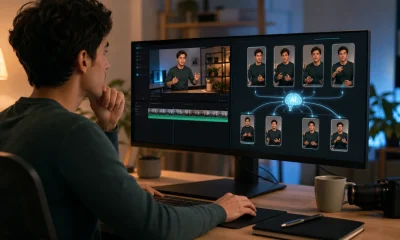
Reverse video search is not as simple as dropping a full video into one universal search engine and getting a perfect answer. Most reliable workflows still work by breaking a clip into frames, searching those frames across visual search engines, and comparing the results against upload dates, captions, watermarks, thumbnails, and surrounding context.
That does not make reverse video search weak. Used properly, it can help creators find unauthorized reposts, journalists trace viral footage, marketers monitor campaign reuse, and everyday users check whether a clip is old, edited, or taken out of context.
The best tools fall into two groups. Some let you upload or paste a video URL and automate the search process. Others help you extract keyframes and search them through large visual indexes. For the most accurate results, it is often worth using more than one tool, especially when a clip has been cropped, captioned, mirrored, compressed, or reposted across multiple platforms.
What Is Reverse Video Search?

Reverse video search is the process of using a video clip, video URL, thumbnail, or screenshot to find where that video appears online. A tool may analyze the video directly, extract keyframes, search visually similar frames, or send those frames to multiple search engines.
The important point is that reverse video search is evidence gathering, not automatic proof. A matching frame can help you find reposts, longer versions, earlier uploads, or related pages, but the final answer still depends on checking dates, source pages, watermarks, captions, uploader history, and whether the content has been edited.
Best Reverse Video Search Tools Compared
| Tool | Best For | Search Method | Strength |
|---|---|---|---|
| Revideo.io | Self-serve reverse video search | Upload video or paste URL | Purpose-built video workflow |
| InVID-WeVerify | Journalists and investigators | Keyframe extraction and verification tools | Strongest verification workflow |
| Google Lens | Fast first-pass frame search | Upload screenshot or frame | Broad web coverage |
| TinEye | Exact and modified frame matching | Upload image or image URL | Source tracing and older matches |
| Yandex Images | Visual similarity and hard-to-find matches | Upload screenshot or frame | Strong alternative visual index |
5 Best Reverse Video Search Tools
1. Revideo.io
Revideo.io is the strongest fit for readers who want a dedicated reverse video search tool rather than a manual frame-by-frame process. It lets users upload a video file or paste a video URL, then searches for similar or duplicate appearances across supported platforms and the wider web.
That matters because most reverse video workflows still ask the user to do the tedious work: pause the clip, grab screenshots, upload them to several engines, compare results, and repeat with different frames. Revideo is built around the actual user intent: where else does this video appear? That makes it a better starting point for creators, social media teams, and anyone trying to trace a reposted clip quickly.
Revideo is especially useful when the goal is to find duplicate uploads, copied short-form videos, or possible source pages for a clip circulating on TikTok, YouTube Shorts, Instagram, Reddit, Facebook, or Vimeo. Its strongest use case is convenience: it brings video upload, URL search, keyframe extraction, and source links into one workflow.
The main thing to understand is that no reverse video tool can guarantee the original source every time. If the first upload is private, deleted, behind a login, or not indexed, the best result may be the earliest public match the tool can find. Revideo should be treated as a strong search and tracing tool, not as a magic authenticity engine.
Pros and Cons
- Built specifically for reverse video search
- Supports video upload and URL-based search
- Useful for finding reposts, copied clips, and source pages
- More convenient than manually extracting frames
- Good fit for creators, journalists, influencers, and brand teams
- Results still depend on what is publicly indexed
- Very new, private, or heavily edited clips may be harder to trace
- Authenticity claims should still be verified with additional evidence
2. InVID-WeVerify Verification Plugin
InVID-WeVerify is one of the most useful tools for serious video verification. It is not a glossy consumer search engine, but for journalists, OSINT researchers, fact-checkers, and investigators, that is part of its strength. It helps break videos into keyframes, inspect context, run reverse image searches, review metadata, and analyze visual clues without relying on a single search result.
The plugin is especially valuable when a video is part of a breaking-news story, protest, conflict clip, disaster video, or viral claim. Instead of treating reverse video search as a one-click answer, InVID-WeVerify gives users a structured workflow: extract the strongest frames, search those frames across multiple engines, inspect the upload context, and compare what appears across platforms.
This is the tool to use when accuracy matters more than speed. It helps users avoid a common mistake: searching one random screenshot and assuming the first result tells the whole story. A better approach is to test several distinct frames, especially frames with landmarks, signs, faces, vehicles, logos, or unusual background details.
InVID-WeVerify is less convenient than a dedicated upload-and-search tool, but it teaches the right habit. Reverse video search is strongest when it combines visual matching with human verification.
Pros and Cons
- Excellent for fact-checking and investigative workflows
- Extracts keyframes from videos
- Supports multi-engine reverse image searching
- Useful for social media videos and viral claims
- Strong context and verification features
- Less beginner-friendly than a simple upload tool
- Browser-plugin workflow may feel technical to casual users
- Requires users to interpret results carefully
3. Google Lens
Google Lens is often the fastest first stop for reverse video search because it gives users access to Google’s broad visual search index. The workflow is simple: take a clear screenshot from the video, upload it to Lens, and look for matching pages, thumbnails, articles, product listings, social posts, or visually similar images.
Lens is especially useful when the video contains recognizable objects, locations, people in public contexts, landmarks, products, text, or a distinctive scene. It can also help when a clip has been reposted inside an article or embedded on a webpage, because Google may surface pages where the same frame or thumbnail appears.
Its weakness is that it is not a true video-search engine. Users need to pick the right frame, and the best frame is not always the most dramatic one. A blurry action shot may perform worse than a clear frame with signage, a building, a jersey number, a watermark, or a unique background.
Google Lens belongs high in the list because almost everyone can use it quickly, and it often gives enough context to continue the investigation. For best results, users should search several frames rather than relying on one screenshot.
Pros and Cons
- Fast and easy to use
- Excellent broad web coverage
- Useful for objects, locations, thumbnails, and screenshots
- Works across desktop and mobile
- Strong first-pass tool before deeper verification
- Searches images, not full videos
- Results depend heavily on the frame selected
- May return visually similar content instead of the exact source
4. TinEye
TinEye is one of the best tools for exact and near-exact image matching. For reverse video search, that makes it useful when you have a clean frame, thumbnail, or screenshot and want to find where that same visual has appeared online. It is particularly helpful for tracing older matches, modified versions, and reused visuals.
TinEye is not trying to be a full video search engine, and that clarity is useful. It works best when users treat it as a precision tool: extract a distinct frame, upload it, and check whether the same image or a modified version appears elsewhere. It can be especially helpful when trying to identify whether a viral clip uses an old thumbnail, a repurposed frame, or footage that has circulated before.
One of TinEye’s biggest strengths is that it is less noisy than broad visual search engines. It is not always the biggest index for every topic, but when it finds matches, the results are often easier to evaluate. Sorting by oldest, newest, biggest, or most changed can also help users understand how an image traveled across the web.
TinEye is best used alongside Google Lens or Yandex Images. If Lens gives too many loosely related results, TinEye can help narrow the search to exact or modified copies.
Pros and Cons
- Strong exact-match and modified-image search
- Helpful for tracing older appearances
- Cleaner results than many broad visual search tools
- Good for thumbnails, screenshots, and distinctive frames
- Useful privacy posture for uploaded images
- Does not search full video files
- May miss matches that broad engines find
- Works best with clear, distinctive frames
5. Yandex Images
Yandex Images is a strong alternative when Google Lens and TinEye do not surface enough. It can be useful for visual similarity searches, especially when a frame contains faces, locations, objects, or scenes that other engines fail to connect. For reverse video work, it is best used as a second or third pass after searching the same frame through Google Lens and TinEye.
Yandex can be particularly helpful when the goal is to find visually similar versions of a scene rather than only exact image copies. That makes it useful for clips that have been cropped, compressed, mirrored, subtitled, or reposted with overlays. A single frame may not find the source, but several good frames searched across multiple engines can reveal a pattern.
The tradeoff is that Yandex results require careful interpretation. Visual similarity is not the same as proof. A result may show a similar scene, a related image, or a different upload using comparable visuals. Users should confirm matches by checking dates, video length, uploader history, captions, watermarks, and surrounding page context.
Yandex earns a place because reverse video search is rarely solved by one index. When the obvious search engines fail, a different visual index can make the difference.
Pros and Cons
- Strong visual-similarity search
- Useful when other engines miss matches
- Good for alternate frames and cropped visuals
- Helpful for finding related scenes or reposted images
- Works without needing a full video upload
- Not a full reverse video search engine
- Results can require more manual verification
- Similar-looking results should not be treated as proof
How to Get Better Reverse Video Search Results
The best reverse video searches usually come from better frame selection. Do not search only the opening frame or the most dramatic moment. Look for frames with details that search engines can recognize: signs, storefronts, license plates, jerseys, landmarks, unusual backgrounds, captions, watermarks, tattoos, product packaging, or on-screen text.
If one frame fails, try another. A video may have dozens of low-value frames and only two or three that are useful for search. Clear, still, information-rich frames usually outperform motion-blurred frames.
For creator or copyright use cases, start with a dedicated video workflow, then confirm important matches manually. For news verification, use a structured tool that helps preserve context. For general web discovery, search several frames across multiple visual search engines before drawing conclusions.
Frequently Asked Questions
Can you reverse search a full video?
Some tools now let users upload a video file or paste a video URL, but much of the matching still depends on extracting frames and comparing them against indexed visual content. A full-video upload can make the process easier, but it does not remove the need to verify the results.
What is the best reverse video search tool?
Revideo.io is the best starting point for a self-serve reverse video search workflow. InVID-WeVerify is the better choice for journalists, OSINT researchers, and fact-checkers who need a deeper verification process.
Why do reverse video searches fail?
A search may fail if the video is private, deleted, too new, not indexed, heavily edited, cropped, mirrored, covered with captions, or uploaded behind a login. Searching several clear frames usually improves the chance of finding a match.
Is reverse video search proof that a video is real?
No. Reverse video search can help find earlier uploads, reposts, and related pages, but authenticity requires context. Check the uploader, date, location clues, caption history, original source, and whether the footage has been edited.
Final Thoughts
Reverse video search works best when the tools are presented honestly. Revideo.io is the best fit for users who want a purpose-built upload or URL workflow. InVID-WeVerify is the strongest choice for fact-checkers and investigators who need a deeper verification process. Google Lens is the fastest first-pass option, while TinEye is excellent for exact and modified frame matching. Yandex Images is worth using when other engines miss visually similar matches.
The winning workflow is not one tool. It is a sequence: search the video if possible, extract strong frames, run multiple visual searches, compare dates and context, and verify before making a claim.